
User manual, introduces the function and usage of the product
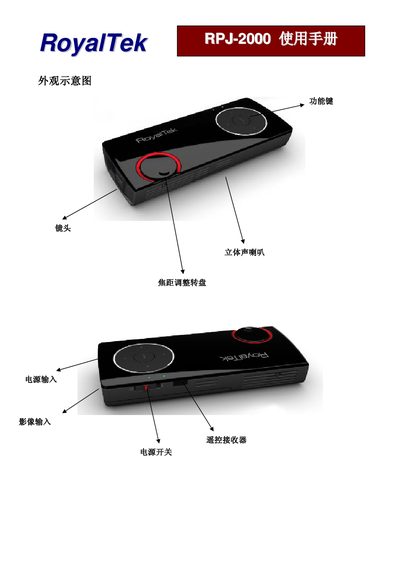
This manual explains how to set up the RPJ-2000, including connecting CVBS or PC inputs, installing accessories, and navigating the on‑screen menu. It also covers power‑on procedures and basic safety information.
Detailed sections describe the function keys for brightness, contrast, volume, and OSD modes, as well as how to adjust color, hue, and other picture parameters. Language selection, firmware version information, and auto‑power‑off timer settings are also provided. This manual is written in Japanese.
| Brightness range | 0‑100 |
|---|---|
| Contrast range | 0‑100 |
| Horizontal position adjustment | 0‑100 |
| Vertical position adjustment | 0‑100 |
| Input modes | CVBS, PC |
| Firmware version | 0.6.9 |
Press the ZS key to raise the brightness level.