
Key facts
- Manuals
- 2
- Languages
- JA
- Last added
- 2012-02-11
Featured rpj-2000 manuals
Royalrek RPJ-2000 User Manual
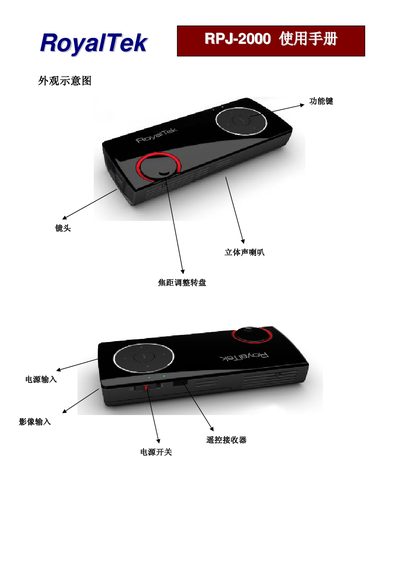
This manual explains how to set up and operate the Royalrek RPJ-2000, covering connection of the device, basic functions, and menu navigation.
It details the function keys, brightness, contrast, color adjustments, volume control, language selection, and firmware version information. This manual is written in Japanese.
Covers: Accessories · Function Keys · Basic Functions · Color Adjustment · Menu Navigation · Firmware Version
Royalrek RPJ-2000 User Manual
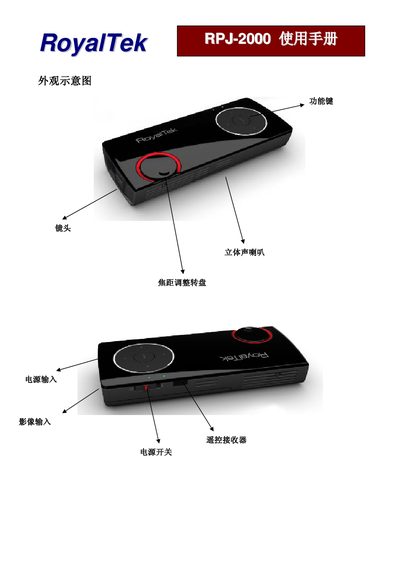
This manual explains how to set up the RPJ-2000, including connecting CVBS or PC inputs, installing accessories, and navigating the on‑screen menu. It also covers power‑on procedures and basic safety information.
Detailed sections describe the function keys for brightness, contrast, volume, and OSD modes, as well as how to adjust color, hue, and other picture parameters. Language selection, firmware version information, and auto‑power‑off timer settings are also provided. This manual is written in Japanese.
Covers: Accessories · Function Keys · Basic Functions · Color Adjustment · Language Selection · Firmware Version
Latest rpj-2000 manuals
Royalrek RPJ-2000 User Manual
User Manual 7 pages · 488 KB · JAThe Royalrek RPJ-2000 user manual provides operating instructions, function keys, and settings for video and audio control.
Royalrek RPJ-2000 User Manual
User Manual 7 pages · 488 KB · JAThe Royalrek RPJ-2000 user manual provides operating instructions, function key descriptions, and setting adjustments for the projector.
Which document do I need?
User Manual
Day-to-day operation, settings and troubleshooting. Start here if the product is already set up.
Questions answered in rpj-2000 manuals
How do I increase the brightness?
Press the ZS key to raise the brightness level.