
SciFinder Scholar is a chemical literature search software developed by the American Chemical Society (CAS)
This guide walks you through installing SciFinder Scholar on a Windows computer using the InstallShield wizard. It explains how to select the destination folder, choose the setup type (Typical, Compact, or Custom), and complete the main program installation.
The document also details the optional installation of the SciFinder Scholar Toolbar, how to link it to the main program, and what to do if the software cannot connect to the CAS server, including contacting the site administrator.
| Software version | SciFinder Scholar 2004.2 |
|---|---|
| Default installation folder | C:\SFSCHLA |
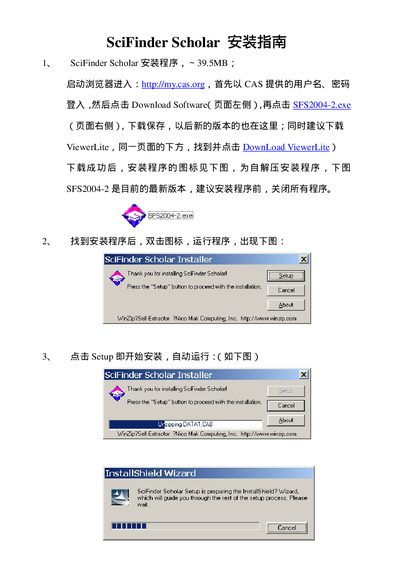
Run the installer and click the "Setup" button to begin the InstallShield wizard.
After the main program is installed, run the Toolbar setup, choose a destination folder, and follow the wizard prompts to complete the installation.
Contact your site administrator for assistance, as the connection issue is reported in the Problem Report section.