
The document introduces the technical specifications, features, and usage instructions of the EPHC10-EC solar power controller. The controller features intelligent control, discharge control with discharge rate correction, protection against overcharging, overdischarging, electronic short circuit, and overload. It adopts a series-connected PWM charging main circuit, providing high charging efficiency and accurate temperature compensation. The current battery status is indicated by LED lights, making operation convenient and visually appealing.
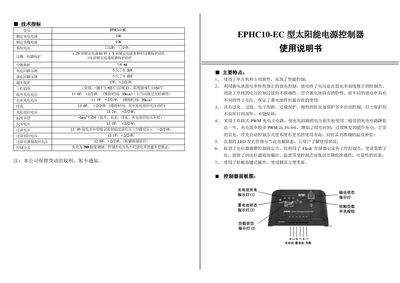
The EEHC10-EC controller is designed for solar DC power systems and features intelligent control using a micro‑controller and dedicated software. It provides overload, short‑circuit, reverse‑polarity, over‑charge and over‑discharge protection, as well as temperature compensation and PWM charging for high efficiency.
The manual covers installation dimensions (140 × 90.5 mm), wiring guidelines, connection procedures for the battery and solar panel, operation of the touch‑button interface, indicator LED functions, and common fault diagnosis with recovery steps. This manual is written in Chinese.
| Rated load current | 104 A |
|---|---|
| System voltage | 12 V / 24 V |
| Dimensions (W × H) | 140 mm × 90.5 mm |
| Overload protection (1.25× rated current) | 60 s |
| Overload protection (1.5× rated current) | 5 s |
Connect the battery terminals to the controller’s battery terminals first, ensuring correct polarity; the second terminal is then connected to the battery. The load indicator (2) should light if the connection is correct.
A green fast‑flashing charging indicator (1) signals that the system voltage is too high and the user should follow the over‑voltage handling procedure.
Check that the solar panel leads are correctly connected with proper polarity and that the panel receives sunlight; the charging indicator (1) should turn green when the panel is properly connected and illuminated.