
The U-PDC universal programmer is a programmer suitable for C8051 series devices, with features such as USB interface connection to PC, automatic port detection, and no external power supply required.
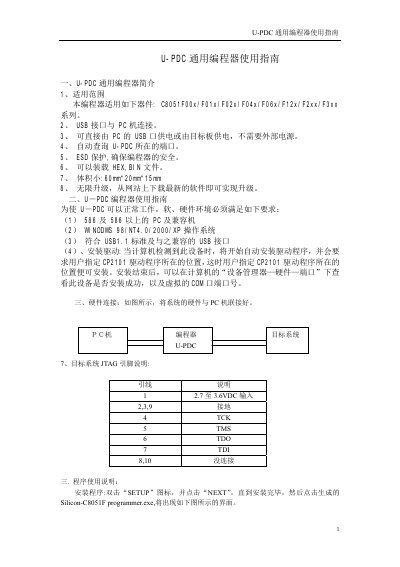
The U-PDC Universal Programmer is a compact USB‑powered device (60mm × 20mm × 15mm) that supports programming of Silicon Labs C8051F00x/F01x/F02x/F04x/F06x/F12x/F2xx/F3xx series microcontrollers. It can be powered directly from the PC’s USB port or from the target board and works with HEX and BIN files on Windows 98/NT4.0/2000/XP systems that meet the USB 1.1 standard.
The manual guides users through driver installation (CP2101 driver), hardware connection, and software operation. It details menu commands for file handling, buffer editing, programming actions (read, write, erase, verify, lock, batch program), debugging, and configurable settings such as automatic serial‑number insertion for production runs. This manual is written in Chinese.
| Supported devices | C8051F00x/F01x/F02x/F04x/F06x/F12x/F2xx/F3xx series |
|---|---|
| Interface | USB 1.1 standard |
| Power source | PC USB port or target board |
| Dimensions | 60 mm × 20 mm × 15 mm |
| Supported file formats | HEX, BIN |
| Operating system | Windows 98/NT4.0/2000/XP |
When the computer detects the device it automatically starts driver installation and asks you to specify the location of the CP2101 driver.
Select the File menu and choose “Load HEX File” to load a hexadecimal file into the buffer.
After connecting the target, the “Batch Program” command writes the buffer contents to the chip automatically, suitable for mass production.
In Settings enable “automatic add serial number”, set the serial‑number length and storage address, and the program will write the serial number to the specified memory location.