
This manual introduces the function setting instructions of RI-330 inductive card reader, including read card mode, add single card number, delete single card number, add batch sequential card number, delete batch sequential card number, delete all card numbers, set door opening time, set alarm time, modify 6-digit master machine setting password, modify 4-digit door opening password, and communication station code setting.
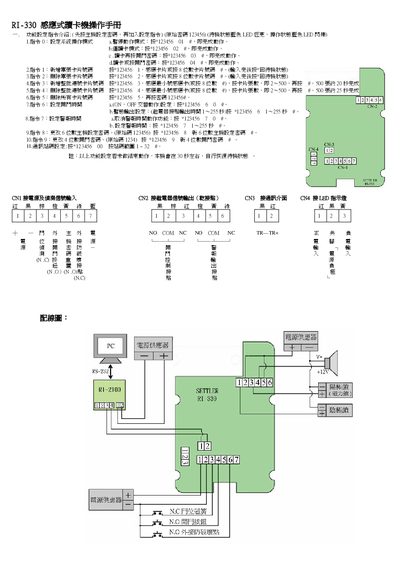
This manual describes the command set used to control the RI-330 card reader. Commands 0‑9 allow you to select operation modes, set master passwords, add or delete card data, and adjust timing and alarm parameters. Each command is entered by typing the specified code followed by the appropriate password.
The document also provides wiring information, showing the power input (CN1), signal input (CN2), and LED indicators for standby and operation states. LED colors are blue for both standby and active modes. The guide includes step‑by‑step instructions for configuring the device and troubleshooting common issues. This manual is written in Chinese.
| Standby LED color | blue |
|---|---|
| Operation LED color | blue |
| Power connector label | CN1 |
Enter command 0 followed by the appropriate password to select the desired mode.
Use command 8 with the new 6‑digit password to update the master password.