
Key facts
- Manuals
- 1
- Languages
- ZH
- Last added
- 2012-01-16
Featured RI-330 manuals
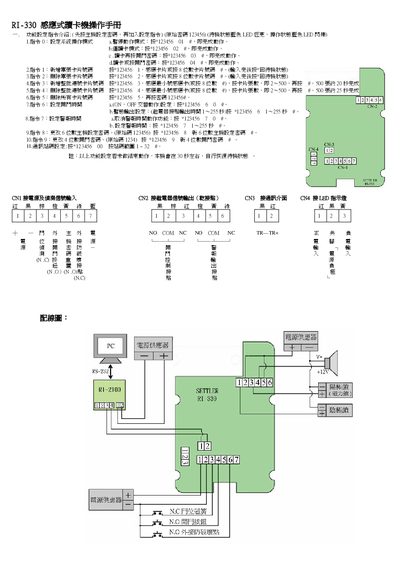
RI-330 Card Reader Operating Manual
This manual describes the command set used to control the RI-330 card reader. Commands 0‑9 allow you to select operation modes, set master passwords, add or delete card data, and adjust timing and alarm parameters. Each command is entered by typing the specified code followed by the appropriate password.
The document also provides wiring information, showing the power input (CN1), signal input (CN2), and LED indicators for standby and operation states. LED colors are blue for both standby and active modes. The guide includes step‑by‑step instructions for configuring the device and troubleshooting common issues. This manual is written in Chinese.
Covers: System Operation Modes · Password Configuration · Card Data Management · Timing and Alarm Settings · LED Indicators · Wiring Connections
Latest RI-330 manuals
RI-330 Card Reader Operating Manual
User Manual 1 pages · 178 KB · ZHThe RI-330 operating manual explains how to set system modes, configure passwords, and connect the card reader hardware.
Which document do I need?
User Manual
Day-to-day operation, settings and troubleshooting. Start here if the product is already set up.
Questions answered in RI-330 manuals
How do I set the system operation mode?
Enter command 0 followed by the appropriate password to select the desired mode.
How can I change the 6‑digit master password?
Use command 8 with the new 6‑digit password to update the master password.