
MIDAS series MD-W1300 is a low-cost, IEEE802.3 compliant external power fiber optic transceiver. It can convert electrical signals into optical signals for transmission over single-mode or multi-mode fibers, enabling long-distance transmission. It features comprehensive LED diagnostic functions, broadcast filtering, address learning and updating, support for VLAN TAG and Spanning Tree protocols, and is suitable for 10/100M Ethernet. It has a unique appearance and compact size.
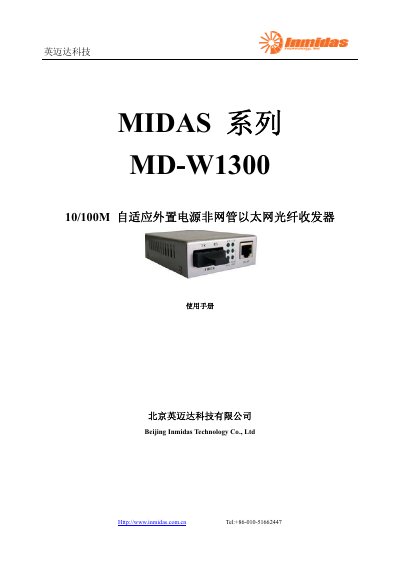
The MD‑W1300 is a low‑cost, IEEE‑802.3 compliant, external‑power fiber optic transceiver that converts electrical signals to optical signals for long‑distance Ethernet transmission. It supports both multimode and single‑mode fibers and includes LED diagnostics, VLAN tagging, and spanning‑tree features.
The manual provides detailed instructions for connecting the optical (RX/TX) and Ethernet (RJ‑45) ports, power setup with an external AC/DC adapter, and troubleshooting common LED indicators. Safety and maintenance guidelines are also included to ensure reliable operation. This manual is written in Chinese.
| Supported Ethernet speed | 10/100M |
|---|---|
| Power input | 110‑265V AC 50/60Hz |
| Power output | 5V DC 1.2A |
| Operating humidity | 5%‑95% (non‑condensing) |
| Optical connector type | ST or SC |
| Supported fiber types | 62.5/125 µm, 50/125 µm multimode and 9/125 µm single‑mode |
A power fault is indicated; check that the power cable is connected correctly.
The optical link is not established; verify that the fiber cable is not broken and that the correct fiber type is used.
The Ethernet link is not active; check the network cable for continuity, correct connection type, and matching speed settings.