
Key facts
- Manuals
- 1
- Languages
- ZH
- Last added
- 2012-01-13
Featured 英迈达 MIDAS系列 manuals
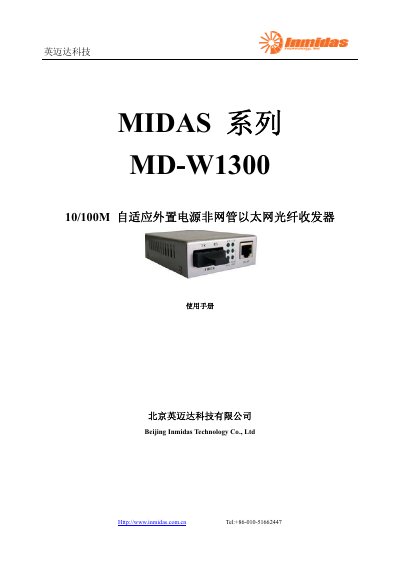
Inmidas Technology MD-W1300 Ethernet Fiber Optic Transceiver User Manual
The MD‑W1300 is a low‑cost, IEEE‑802.3 compliant, external‑power fiber optic transceiver that converts electrical signals to optical signals for long‑distance Ethernet transmission. It supports both multimode and single‑mode fibers and includes LED diagnostics, VLAN tagging, and spanning‑tree features.
The manual provides detailed instructions for connecting the optical (RX/TX) and Ethernet (RJ‑45) ports, power setup with an external AC/DC adapter, and troubleshooting common LED indicators. Safety and maintenance guidelines are also included to ensure reliable operation. This manual is written in Chinese.
Covers: Product Description · Features · LED Indicators · Power Specifications · Optical Interface · Ethernet Interface
Latest 英迈达 MIDAS系列 manuals
Inmidas Technology MD-W1300 Ethernet Fiber Optic Transceiver User Manual
User Manual 4 pages · 122 KB · ZHThe Inmidas Technology MD-W1300 manual explains features, specifications, installation, operation, and troubleshooting of the 10/100M non‑managed Ethernet…
Which document do I need?
User Manual
Day-to-day operation, settings and troubleshooting. Start here if the product is already set up.
Questions answered in 英迈达 MIDAS系列 manuals
What should I do if the PWR LED is off?
A power fault is indicated; check that the power cable is connected correctly.
From: Inmidas Technology MD-W1300 Ethernet Fiber Optic Transceiver User Manual
Why is the FXL LED off and how can I fix it?
The optical link is not established; verify that the fiber cable is not broken and that the correct fiber type is used.
From: Inmidas Technology MD-W1300 Ethernet Fiber Optic Transceiver User Manual