
GDS-820/840 is a high-performance, dual-channel digital storage oscilloscope with a bandwidth of 150MHz (250MHz for the GDS-840 series) and a sampling rate of 100Msa/s. It can also detect short pulses of 10ns.
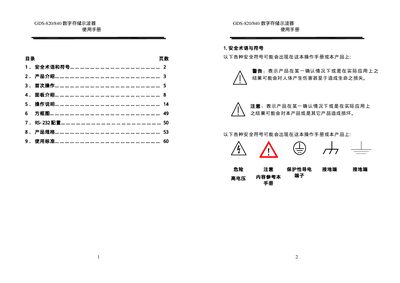
The GDS-820/840 series is a dual‑channel digital storage oscilloscope with bandwidth up to 250 MHz and a 5.7‑inch LCD display. It offers multiple acquisition modes, automatic measurement functions, and interfaces such as USB, RS‑232, GPIB, and printer ports.
The manual provides safety symbols, product introduction, first‑time setup, panel descriptions, operation instructions, and detailed specifications, including power requirements, dimensions, and environmental limits. This manual is written in Chinese.
| Bandwidth | 150 MHz (GDS‑820) / 250 MHz (GDS‑840) |
|---|---|
| Sample Rate | 100 MSa/s per channel |
| Record Length | 125 k points per channel |
| Vertical Resolution | 8 bits |
| Display | 5.7‑inch LCD, monochrome or color |
| Input Impedance | 1 MΩ (GDS‑820) / 500 Ω or 1 MΩ (GDS‑840) |
| Dimensions | 310 mm × 142 mm × 254 mm |
| Weight | ≈41 kg |
| Operating Temperature | 0 °C – 50 °C |
The instrument provides a printer port, RS‑232, USB, and a GPIB interface.
The oscilloscope can store 15 groups of panel function settings and two waveform trace sets.
Check that the protective grounding is properly connected before each use.
Yes, the built‑in RS‑232 interface allows remote control from a PC.