
This is a Quick Start Guide for the Hannspree K219-10A1 9.6-inch Liquid Crystal Display TV. The guide provides instructions on how to set up and use the TV, including how to connect devices, adjust settings, and watch broadcast or cable TV.
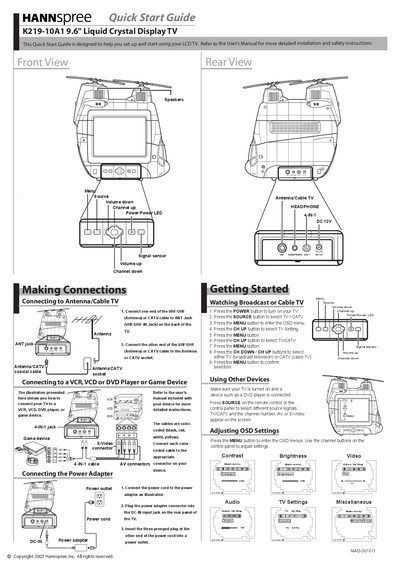
This Quick Start Guide helps you set up and start using your Hannspree K219-10A1 9.6" LCD TV. It points you to the full User Manual for detailed installation and safety instructions.
The guide shows how to connect the antenna or cable, attach external devices such as VCR, DVD or game consoles, and install the DC‑12V power adapter. It also explains basic remote‑control functions like power, source selection, and menu navigation.
| Screen size | 9.6 inches |
|---|---|
| Antenna input | VHF/UHF IN Jack |
Press the POWER button on the remote control.
Press the SOURCE button on the remote to choose TV / CATV.