
Key facts
- Manuals
- 1
- Languages
- EN
- Last added
- 2012-01-05
Featured K219-10A1 manuals
Hannspree K219-10A1 LCD TV Quick Start Guide
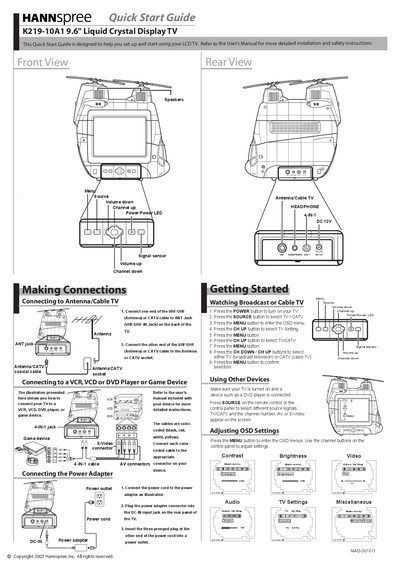
This Quick Start Guide helps you set up and start using your Hannspree K219-10A1 9.6" LCD TV. It points you to the full User Manual for detailed installation and safety instructions.
The guide shows how to connect the antenna or cable, attach external devices such as VCR, DVD or game consoles, and install the DC‑12V power adapter. It also explains basic remote‑control functions like power, source selection, and menu navigation.
Covers: Making Connections · Connecting to Antenna/Cable TV · Connecting to VCR/VCD/DVD/Game Device · Connecting the Power Adapter · TV Settings
Latest K219-10A1 manuals
Hannspree K219-10A1 LCD TV Quick Start Guide
Quick Start Guide 2 pages · 3.1 MB · ENQuick Start Guide for the Hannspree K219-10A1 9.6" LCD TV, covering basic setup, connections, and power adapter installation.
Which document do I need?
Quick Start Guide
The shortest path to a working setup, usually only a few pages.
Questions answered in K219-10A1 manuals
How do I turn on the TV?
Press the POWER button on the remote control.
How do I select TV or CATV as the source?
Press the SOURCE button on the remote to choose TV / CATV.