
This document is the user manual for Canon's Digital Photo Professional software, which describes the features and operation methods of the software. It also includes information on compatible camera models and system requirements.
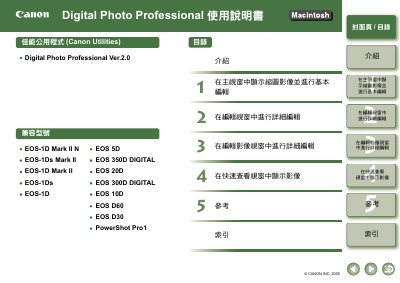
This manual describes Canon Digital Photo Professional (DPP) Ver.2.0, software for editing RAW images captured with Canon digital cameras. It covers the main window, edit window, edit image window, and quick view window, along with image selection, RAW and RGB adjustments, conversion, printing, and batch processing.
The introduction lists system requirements, supported image types and camera models, and the features of each window. The document also explains how to navigate the manual and the symbols used for instructions. This manual is written in Chinese.
| Software version | Digital Photo Professional Ver.2.0 |
|---|---|
| Operating system | Mac OS X 10.2 to 10.4 |
| CPU | 400MHz G3 or higher |
| Memory | At least 512MB |
| Hard disk space | 256MB or more |
| Display resolution | 1024 × 768 or higher |
| RAW image file extensions | .CR2, .TIF, .CRW |
| JPEG image file extensions | .JPG, .JPEG |
| TIFF image file extensions | .TIF, .TIFF |
| Supported color spaces | sRGB, Adobe RGB, Wide Gamut RGB, Apple RGB, ColorMatch RGB |
It is software for editing RAW images shot with Canon digital cameras, with adjustments for brightness, white balance, picture style, tone curves, color, sharpness, cropping, and rotation.
It requires Mac OS X 10.2 to 10.4, a 400MHz G3 or faster CPU, at least 512MB of memory, 256MB or more of hard disk space, and a display of 1024 × 768 or higher.
The listed models include EOS-1D Mark II N, EOS-1Ds Mark II, EOS-1D Mark II, EOS 5D, EOS 350D DIGITAL, EOS 20D, EOS-1Ds, EOS-1D, EOS 300D DIGITAL, EOS 10D, EOS D60, EOS D30, and PowerShot Pro1.
Yes. It includes RGB image adjustments for RAW, JPEG, and TIFF images, including tone curve, color, sharpness, cropping, image correction, and rotation.