
MC3000 Hardware Device Operation Manual introduces the hardware operation methods of MC3000, including power on/off, battery installation, various function key instructions, scanner use, etc.
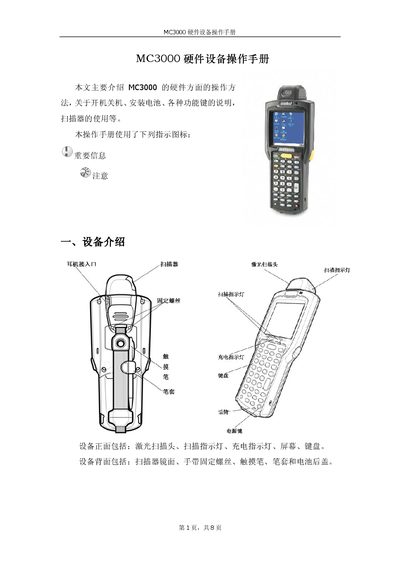
The MC3000 hardware manual describes the device’s front and rear components, including the laser pointer, indicator lights, USB interface, and background light. It explains how to install the unit, connect power, and insert the SD storage card.
Detailed sections cover charging methods, laser operation angles, keyboard layout, special function keys, and positioning procedures. The guide also includes troubleshooting tips for proper alignment and usage. This manual is written in Chinese.
| Laser rotation range | 270° |
|---|---|
| Recommended laser angle | 65° |
| Storage support | SD Card |
The laser pointer can rotate up to 270°, with an optimal operating angle of about 65°.