
This manual introduces the MCD280 DVD Micro System's features and characteristics, and provides detailed instructions on how to connect, operate, and use the product.
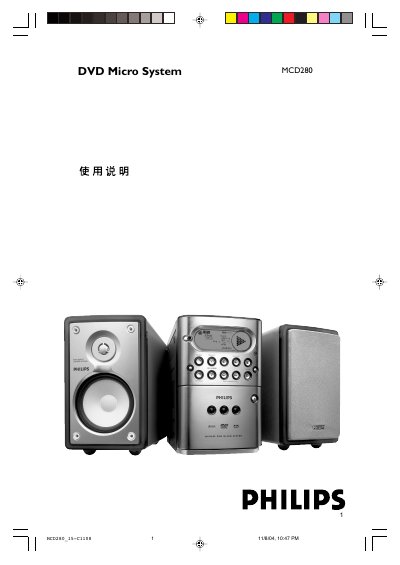
The Philips MCD280 is a DVD micro system with built-in DTS and Dolby Digital decoders for surround sound. It plays DVD, VCD, SVCD, CD, MP3, WMA, and JPEG discs, and includes a cassette deck for playback and recording. The manual details speaker placement, TV and antenna connections, remote control operation, clock and language settings, disc navigation features, radio tuning, timer functions, and sound adjustments.
Maintenance instructions cover cleaning the cabinet, discs, laser lens, and cassette heads. Safety warnings address ventilation, condensation, and placement. The troubleshooting section helps resolve common issues, and a glossary explains technical terms. This manual is written in Chinese.
| Supported Disc Formats | DVD, VCD, SVCD, CD, DVD+RW, MP3-CD, WMA, JPEG/Kodak Picture CD |
|---|---|
| MP3-CD Specifications | ISO 9660/UDF, max 255 titles+folders, 8 folder levels, 32 folders, 999 tracks, sampling rates 32/44.1/48 kHz, bitrates 32-256 kbps |
| DVD Region Code | Region 6 (also plays ALL region discs) |
| Built-in Decoders | DTS and Dolby Digital |
It plays DVD, VCD, SVCD, CD, DVD+RW, MP3-CD, WMA, and JPEG/Kodak Picture CDs.
The system only plays discs marked ALL (region-free) or region 6.
Connect the right speaker to the R terminals and left speaker to the L terminals; colored wire to +, black wire to –.
Use a Philips CD lens cleaner or other commercial cleaner following its instructions.