
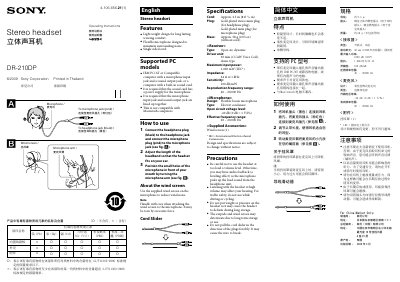
The Sony DR-210DP is a lightweight stereo headset with a flexible boom microphone designed for PC use. It features a single‑sided cord, a wind screen for the microphone, and gold‑plated plugs for reliable connections.
The manual covers how to connect the headset to a PC, adjust the headband and microphone, lists technical specifications, supplied accessories, and important safety and handling precautions.
| Cord length | Approx. 2.5 m (8 ft) |
|---|---|
| Plug type | Gold‑plated stereo mini plug (headphone) and gold‑plated mini plug (microphone) |
| Mass | Approx. 58 g (2.05 oz) without cord |
| Receiver type | Open air, dynamic |
| Driver unit | 30 mm dome type |
| Maximum input power | 1,000 mW (IEC) |
| Impedance | 24 Ω at 1 kHz |
| Sensitivity | 100 dB/mW |
| Frequency response (receiver) | 40 – 20,000 Hz |
| Microphone design | Flexible boom, electret condenser |
| Microphone voltage level | -40 dB (0 dB = 1 V/Pa) |
| Microphone frequency range | 20 – 20,000 Hz |
| Supplied accessories | Wind screen (1) |
Connect the black headphone plug to the headphone jack and the pink microphone plug to the microphone jack on the computer.
No, the DR-210DP is not compatible with Macintosh computers.
The cord is approximately 2.5 meters (8 feet) long.
A wind screen is supplied for the microphone to reduce wind noise.