
UT-620 TCP/IP to RS-232/RS-485/422 network converter is a network converter. The instruction manual introduces the connection, installation and use methods of the product
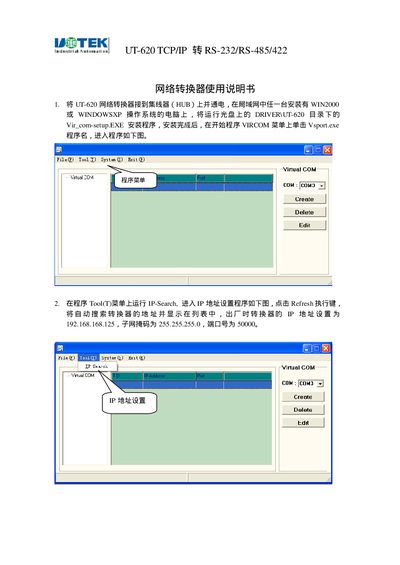
This manual explains how to install the UT-620 TCP/IP Converter, connect it to a hub, and install the required driver software. It guides the user through configuring the device's IP address, subnet mask, gateway, DNS, and TCP/UDP communication parameters.
The document also details the serial port settings such as baud rate, data bits, parity, stop bits, and flow control, as well as power requirements and hardware interfaces. It includes troubleshooting steps for common connection issues and instructions for testing the communication link. This manual is written in Chinese.
| Default IP address | 192.168.168.125 |
|---|---|
| Subnet mask | 255.255.255.0 |
| Gateway | 0.0.0.0 |
| Primary DNS | 168.95.1.1 |
| TCP Server Listen Port | 50000 |
| Supported baud rates | 9600 (default), 1200‑230.4Kbps |
| Data bits | 5, 6, 7, 8 |
| Parity | None, Even, Odd, Mark, Space |
| Stop bits | 1 or 2 |
| Flow control | None, CTS/RTS, XON/XOFF |
| Power supply | DC 9 V |
Supported baud rates range from 1200 bps up to 230.4 Kbps, with 9600 bps as the default.
Choose None, CTS/RTS, or XON/XOFF from the Flow Control options and click Apply.