
NAS Multi-Functions Enclosure User's Manual, introduces the specifications, product features, function supports, front panel, back panel, fan switch, USB interface etc of NAS-231 2 BAY NAS and NAS-131 1 BAY NAS
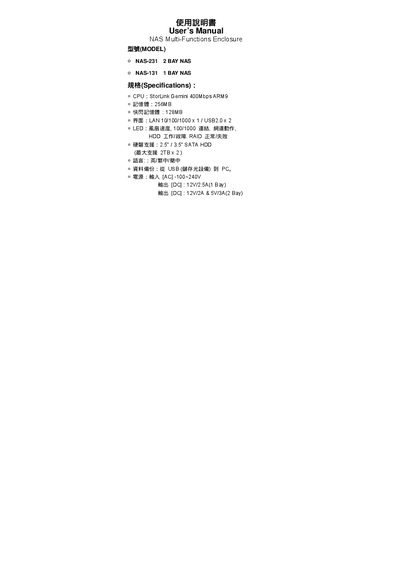
This user manual covers the NAS‑231 (2‑bay) and NAS‑131 (1‑bay) network attached storage enclosures. It explains how to install the devices, configure RAID, connect to a network, and use the built‑in services such as FTP, SMB, and NFS.
Key hardware components are described, including the StorLink Gemini ARM9 CPU, 256 MB RAM, 128 MB flash, dual USB 2.0 ports, and gigabit Ethernet. Power requirements for each model, LED status indicators, and reset procedures are also detailed to help users troubleshoot and maintain the units.
| CPU | StorLink Gemini 400Mbps ARM9 |
|---|---|
| LAN interface | 10/100/1000 Mbps ×1 |
| USB ports | USB 2.0 ×2 |
| Supported hard drives | 2.5"/3.5" SATA, up to 2 × 1 TB |
| Power (1‑bay model) | 12 V / 2.5 A |
| Power (2‑bay model) | 12 V / 2 A and 5 V auxiliary |
| Operating system compatibility | Windows, Linux, macOS |
| File system support | FAT32, EXT2, EXT3 |
The enclosures use a StorLink Gemini 400 Mbps ARM9 processor.
Each unit includes two USB 2.0 ports.
The 2‑bay NAS requires 12 V at 2 A plus a 5 V auxiliary supply.