
Sharp AQUOS LC-32GH3 LC-32GH4 LC-26GH3 LC-26GH4 LCD Color TV Quick Start Guide

This document introduces the main functions and usage methods of liquid crystal TVs LC-32GH3, LC-32GH4, LC-26GH3 and LC-26GH4, including how to connect antennas and recorders and how to make simple settings.
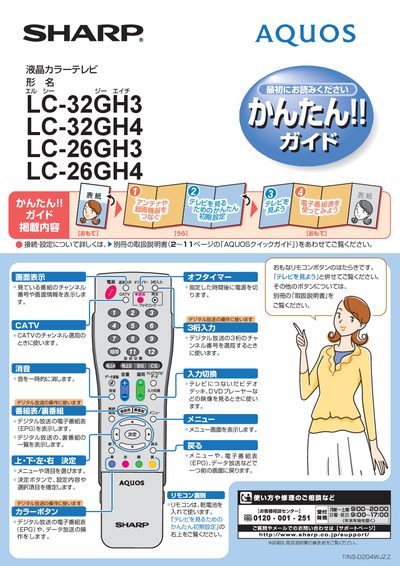

Sharp AQUOS LC-32GH3 LC-32GH4 LC-26GH3 LC-26GH4 LCD Color TV Quick Start Guide - cover page
Brand
Sharp
Category
Television
Document type
Quick Start Guide
Language
Japanese
Pages
5
File format
PDF
File size
1.7 MB
Published
02 December, 2011
Updated
30 September, 2023
MD5 checksum
22C116FEB4FC41C5BACE72BD30C393DA

About this manual

This document provides essential setup instructions for Sharp AQUOS LCD color TV models LC-32GH3, LC-32GH4, LC-26GH3, and LC-26GH4. It includes a guide to the primary remote control buttons and the necessary cable connections for antennas and recording devices.

The guide also details the 'Easy Initial Settings' process, including B-CAS card insertion, region selection, and automatic channel tuning for terrestrial digital, terrestrial analog, and BS/CS broadcasts. This manual is written in Japanese.

What's inside

  • Remote control button functions
  • Connecting antennas and recording equipment
  • HDMI and D-terminal connections
  • B-CAS card installation
  • Easy Initial Settings
  • Channel setting for digital and analog broadcasts
  • BS/CS antenna settings

Frequently asked questions

Where is the power switch on the TV?

Press the red power switch on the top surface of the unit.

What is the AC input voltage for the power cord connection?

The power cord connection is AC 100V input.

What should you do before turning on the TV power?

Do not turn on the power until all connections are complete.

Download PDF (1.7 MB)

More Sharp Manuals


View all Sharp manuals →