
This document describes the steps and methods to create an object using Game Framework 4.4 in Visual Studio 2005. By adding a new class and implementing the relevant member functions, it is possible to achieve actions such as texturing and movement of the object.
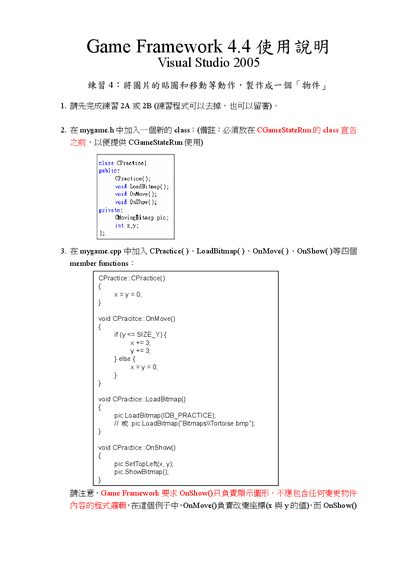
This manual explains how to extend the Game Framework by adding a new class in **mygame.h** and implementing its member functions in **mygame.cpp**. It covers creating the CPractice class, adding OnMove, LoadBitmap, and OnShow methods, and linking the class with the existing CGameStateRun workflow.
The document also details where to insert the new class definition before the CGameStateRun class, how to modify the CGameStateRun methods (OnInit, OnMove, OnShow) to use the new class, and the steps to compile and run the program. This manual is written in Japanese.
| Version | 4.4 |
|---|
Insert the class definition before the CGameStateRun class so it can be used by CGameStateRun.
Add LoadBitmap, OnMove, and OnShow functions to handle bitmap loading, movement logic, and drawing the object.