
Key facts
- Brand
- BBK(vivo)
- Model
- HA007
- Category
- Telephone
- Industry
- Electronics
- Documents
- 6
- Languages
- ZH
- Last added
- 2012-03-14
Start here
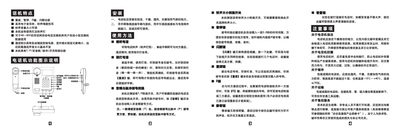
BBK HA007(39)P/T Telephone User Manual
This manual describes the BBK HA007(39)P/T telephone, covering installation, basic operation, and maintenance procedures.
It explains features such as the T/P (tone/pulse) switching, volume control, pause and flash keys, redial, call transfer (R key), mute function, and provides guidelines for cleaning, storage, transportation, and warranty service. This manual is written in Chinese.
BBK(vivo) HA007 specifications
| Operating voltage | 48‑60 V |
|---|---|
| Ringtone volume | Adjustable via side switch |
| Dialing mode | Pulse / Tone (PT) switch |
| Automatic gain control | Included, reduces effect of line length |
Source: BBK HA007 Telephone User Manual
All BBK(vivo) HA007 documents by type
Day-to-day operation, settings and troubleshooting. Start here if the product is already set up.
Questions answered in these manuals
How do I answer an incoming call?
Pick up the handset when the ring‑tone lamp lights and you hear the ringing sound.
How do I mute the telephone during a call?
Press and hold the mute (静音) key; release it to restore normal audio.
What is the proper way to clean the telephone?
Wipe the surface with a soft cloth; do not use corrosive cleaning liquids or chemical solvents.
How do I replace the battery?
Open the battery compartment and insert three AAA (81ZE) cells, observing the correct polarity.
What should I do if the phone stops working?
Remove both the external line and the battery, wait about 30 seconds, then reconnect the battery and line.
How can I delete all stored call information?
Hold the Delete key for about three seconds; the telephone will erase all call logs.