
Key facts
- Manuals
- 1
- Languages
- EN
- Last added
- 2026-11-17
Featured Maglocks manuals
Maglocks HMS-MF Mifare Hotel Lock Software User Manual (Ver 5.1.7)
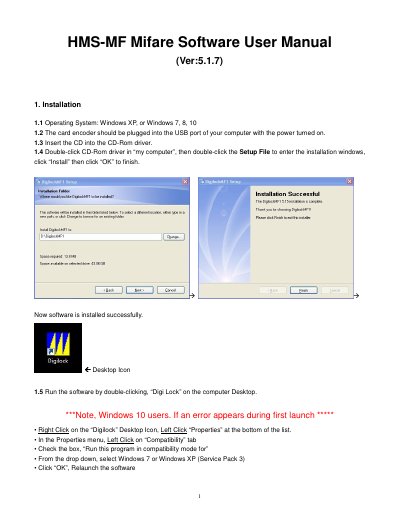
This is the user manual for the HMS-MF Mifare hotel lock software, version 5.1.7. It explains how to install the program from the CD on Windows XP, Windows 7, 8 or 10 with the card encoder plugged into a USB port, and how to launch it from the Digi Lock desktop icon, including a compatibility-mode workaround for Windows 10. It then covers software activation with a Special Card, hotel name, level passwords and operator details.
The rest of the manual describes the daily work of the system: issuing Room Number Set Cards and Time Cards, programming locks with the Reset Card, Room Number Set Card and Time Card, and issuing guest cards, GM and Guard cards, building and floor cards, record cards, limit cards and villa cards. Check-out, record and inquiry operations, the function of the main buttons, and a table of common error messages with their causes and solutions are also included.
Covers: Installation · Software Activation and Hotel Setting · Lock Setting · Card Issuing in Daily Use · Check Out · Other Management Operations
Latest Maglocks manuals
Maglocks HMS-MF Mifare Hotel Lock Software User Manual (Ver 5.1.7)
User Manual 15 pages · 1.2 MB · ENUser manual for the Maglocks HMS-MF Mifare hotel lock software version 5.1.7: installation, activation, lock setting and card issuing.
Which document do I need?
User Manual
Day-to-day operation, settings and troubleshooting. Start here if the product is already set up.
Questions answered in Maglocks manuals
Which operating systems does the HMS-MF Mifare software support?
It runs on Windows XP, Windows 7, Windows 8 and Windows 10.
From: Maglocks HMS-MF Mifare Hotel Lock Software User Manual (Ver 5.1.7)
What is the initial code and password for entering the main menu?
The initial code is 0 (zero) and the password field is left blank.
From: Maglocks HMS-MF Mifare Hotel Lock Software User Manual (Ver 5.1.7)