
Key facts
- Manuals
- 1
- Languages
- ES
- Last added
- 2026-11-17
Featured Automatice manuals
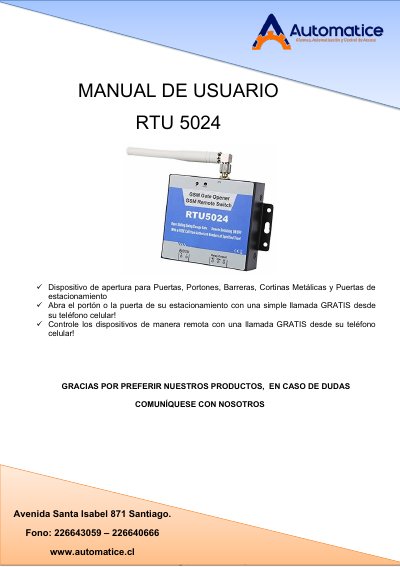
Automatice RTU5024 GSM Relay Controller User Manual
This is the Spanish-language user manual (Manual de Usuario) for the RTU5024, a remote relay controller distributed by Automatice of Santiago, Chile. The device works over the quad-band GSM network: an authorized user calls the unit's SIM card number, the call is rejected at no cost, and the relay output toggles to open a door, gate, barrier, roller shutter or parking door, or to switch equipment on and off remotely. Up to 200 authorized numbers can be stored, each optionally restricted to a specific time window, and the unit can send SMS confirmations when the relay switches.
The manual covers product details and features, technical specifications, dimensions, box contents, typical applications (residential, industrial, agricultural and commercial), safety instructions, wiring diagrams, and installation and configuration via SMS commands, including changing the password, managing authorized numbers, and setting the relay on-time. The default password is 1234 and all SMS commands must be sent in capital letters. This manual is written in Spanish.
Covers: Product details (Detalles del Producto) · Features (Características) · Specifications (Especificaciones) · Dimensions (Dimensiones) · Standard box contents (Contenido Standard de la Caja) · Applications (Aplicaciones)
Latest Automatice manuals
Automatice RTU5024 GSM Relay Controller User Manual
User Manual 12 pages · 851 KB · ESSpanish user manual for the Automatice RTU5024, a GSM remote relay controller that opens doors, gates and barriers with a free phone call.
Which document do I need?
User Manual
Day-to-day operation, settings and troubleshooting. Start here if the product is already set up.
Questions answered in Automatice manuals
What is the default password of the RTU5024?
The default password is 1234. It can be changed with the SMS command 1234P followed by the new password.
How do I reset the RTU5024 to its default settings?
Press and hold the RESET button next to the SIM card socket, power on the unit, and release the button after 6 seconds. This restores the default password 1234 and other parameters, but authorized users remain in memory.