
Key facts
- Manuals
- 1
- Languages
- EN
- Last added
- 2023-11-16
Featured POPStation manuals
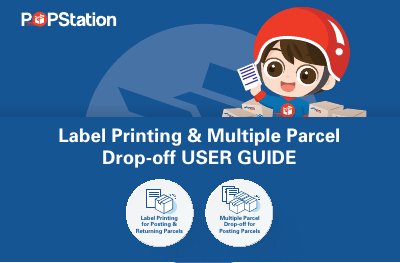
POPStation Label Printing and Multiple Parcel Drop-off User Guide
This user guide walks through two customer flows at a POPStation self-service kiosk: Label Printing for Posting & Returning Parcels and Multiple Parcel Drop-off for Posting Parcels. Each flow is shown as numbered steps, starting from the homepage where the customer selects Post My Parcel or Return My Parcel.
In the label printing flow the customer scans an existing barcode or chooses to print a label, then scans or manually enters the item number and sticks the label on the parcel before dropping it off. In the multiple parcel flow the customer scans parcels one after another, continues when all are scanned, enters a mobile number and the PIN sent by SMS, chooses a locker size, and confirms which parcels were dropped off, with the option to cancel parcels and place them in another locker. The document ends with the website www.mypopstation.com for more information.
Covers: Label Printing for Posting & Returning Parcels · Multiple Parcel Drop-off for Posting Parcels · Scan the barcode · Manually enter the item number · Scan Another Parcel · Continue
Latest POPStation manuals
POPStation Label Printing and Multiple Parcel Drop-off User Guide
User Manual 9 pages · 1.4 MB · ENUser guide for POPStation self-service kiosks: printing labels for posting and returning parcels, and dropping off multiple parcels.
Which document do I need?
User Manual
Day-to-day operation, settings and troubleshooting. Start here if the product is already set up.
Questions answered in POPStation manuals
What do I do if I don't have a shipping label?
Select the "I don't have a label and need to print" option on the kiosk screen to print one.
From: POPStation Label Printing and Multiple Parcel Drop-off User Guide
How do I drop off more than one parcel at a time?
Use the Multiple Parcel Drop-off flow and select Scan another parcel to scan additional parcels.
From: POPStation Label Printing and Multiple Parcel Drop-off User Guide