
Key facts
- Manuals
- 1
- Languages
- ZH
- Last added
- 2023-11-10
Featured MSDQ manuals
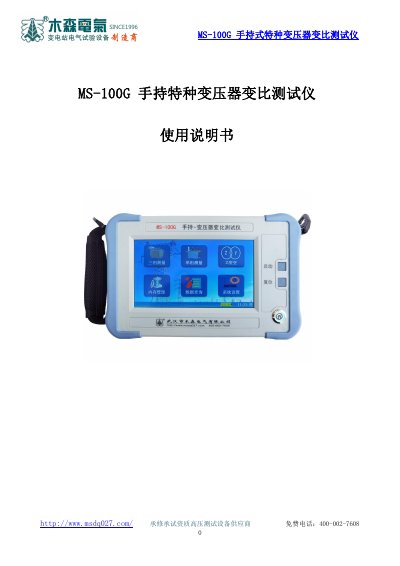
MSDQ MS-100G Handheld Special Transformer Turns Ratio Tester User Manual
This is the Chinese user manual for the MSDQ MS-100G handheld special transformer turns ratio (voltage ratio) tester. It is used to test the turns ratio or voltage ratio of power transformers during production, before commissioning, and in preventive maintenance, to check ratio correctness, tap changer condition, inter-turn short circuits, and whether transformers can operate in parallel.
The manual describes the instrument's features, including a built-in three-phase precision inverter power source, automatic identification of transformer connection groups 0-11, protection functions, a 7-inch color touch screen, external printer support, and control via an Android phone APP. It covers menu operation, three-phase/single-phase/Z-type/Scott connection measurements, data storage and query, system settings, wiring examples, precautions, self-check methods, and storage and warranty information. This manual is written in Chinese.
Covers: 概述 (Overview) · 功能特点 (Features) · 技术参数 (Technical Parameters) · 面板说明 (Panel Description) · 操作说明 (Operation) · 接线说明 (Wiring Instructions)
Latest MSDQ manuals
MSDQ MS-100G Handheld Special Transformer Turns Ratio Tester User Manual
User Manual 10 pages · 996 KB · ZHChinese user manual for the MSDQ MS-100G handheld transformer turns ratio tester, covering operation, wiring, specifications and troubleshooting.
Which document do I need?
User Manual
Day-to-day operation, settings and troubleshooting. Start here if the product is already set up.
Questions answered in MSDQ manuals
How can I check whether the MS-100G tester itself is working correctly?
Connect the test leads together, select Y-y-0 or D-d-0 as the connection type, and start a measurement. A reading of 1.0000 indicates the instrument is normal.
From: MSDQ MS-100G Handheld Special Transformer Turns Ratio Tester User Manual
How do I control the MS-100G with an Android phone?
Tap "蓝牙" (Bluetooth) in the system settings to display a QR code, scan it with the dedicated APP downloaded on the phone, and the phone can then control the instrument throughout the test.
From: MSDQ MS-100G Handheld Special Transformer Turns Ratio Tester User Manual