
Key facts
- Manuals
- 1
- Languages
- EN
- Last added
- 2023-10-31
Featured Dingdong manuals
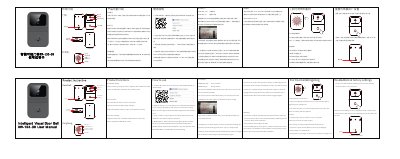
Dingdong XW-133-D9 Intelligent Visual Doorbell User Manual
Dingdong XW-133-D9 Intelligent Visual Door Bell User Manual explains how to install and use the doorbell. It covers app download and registration, device binding over 2.4 GHz Wi-Fi, pairing the doorbell with the Dingdong chime, reset and factory restore, sharing access with up to nine users, low-battery warnings, and push-notification behavior.
The manual also lists operating warnings, such as using the product in good Wi-Fi signal and testing before installation, and includes an FCC compliance statement.
Covers: Product functions · Visualizable talking · Share doorbell · Low power warning · How to use · Pair Doorbell and Dingdong
Latest Dingdong manuals
Dingdong XW-133-D9 Intelligent Visual Doorbell User Manual
User Manual 2 pages · 301 KB · ENUser manual for the Dingdong XW-133-D9 intelligent visual doorbell, covering app setup, Wi-Fi binding, pairing, reset, sharing, and FCC information.
Which document do I need?
User Manual
Day-to-day operation, settings and troubleshooting. Start here if the product is already set up.
Questions answered in Dingdong manuals
How many people can share the doorbell?
Up to nine users can share it, but only one person can answer at a time.
From: Dingdong XW-133-D9 Intelligent Visual Doorbell User Manual
Does the doorbell work with 5G Wi-Fi?
No, it supports only 2.4 GHz Wi-Fi.
From: Dingdong XW-133-D9 Intelligent Visual Doorbell User Manual