
Key facts
- Manuals
- 1
- Languages
- ZH
- Last added
- 2023-10-31
Featured 台湾巨控 manuals
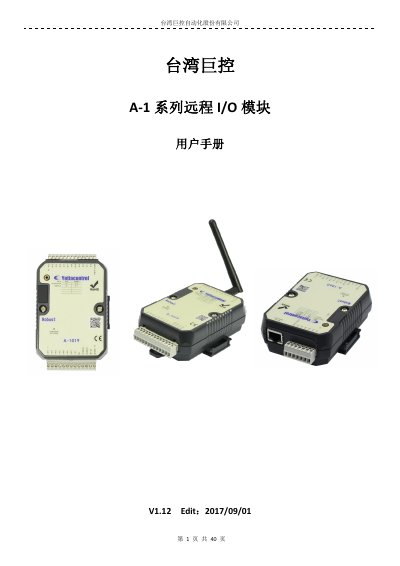
Taiwan Juko A-1 Series Remote I/O Module User Manual
This is the user manual (V1.12, edited 2017/09/01) for the Taiwan Juko A-1 Series remote I/O modules. It introduces the Modbus protocol, explains the master/slave request-response process, the register areas and common function codes, and describes the RTU, ASCII and TCP frame formats used by the modules.
The manual then walks through basic hardware connection and parameter configuration with the YottaUtility software, including station number, baud rate, parity, stop bits and protocol settings, WiFi settings for the A-12xx modules and Ethernet settings for the A-18 series in Init mode. It also covers analog input jumper configuration for the A-1019/A-1219/A-1819 modules, debugging and communication with host software such as ModbusPoll, and ends with Modbus protocol address tables for the individual module models. This manual is written in Chinese.
Covers: Modbus Protocol Introduction · Modbus Master-Slave Response Process · Modbus Register Areas and Common Function Codes · Modbus Frame Formats (RTU, ASCII, TCP) · Module Hardware Connection · Module Parameter Configuration
Latest 台湾巨控 manuals
Taiwan Juko A-1 Series Remote I/O Module User Manual
User Manual 40 pages · 1.6 MB · ZHTaiwan Juko A-1 Series remote I/O module user manual covering Modbus protocol, frame formats, parameter configuration, debugging and Modbus address tables.
Which document do I need?
User Manual
Day-to-day operation, settings and troubleshooting. Start here if the product is already set up.
Questions answered in 台湾巨控 manuals
How do I enter parameter configuration mode on an A-1 series module?
Switch the switch on the back of the module to Init mode first, then power the module on. Connect it to the PC by RS-485, USB or Ethernet and open the YottaUtility software.
What is the A-18 series IP address in Init mode?
In Init mode the A-18 series module uses the IP address 192.168.1.1, which you enter in the Ethernet search field.