
Key facts
- Manuals
- 1
- Languages
- JA
- Last added
- 2026-11-08
Featured InfiniteLoop manuals
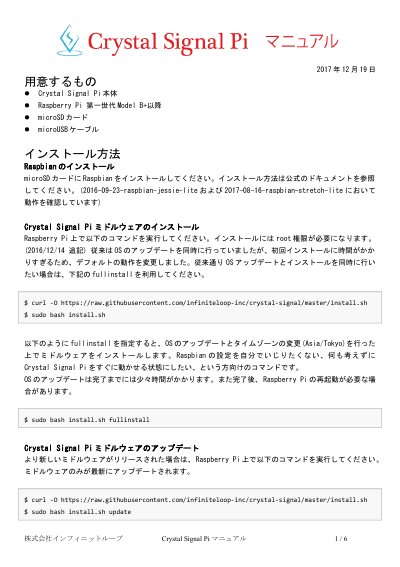
InfiniteLoop Crystal Signal Pi User Manual
This manual from Infiniteloop Co., Ltd. explains how to set up and use the Crystal Signal Pi with a Raspberry Pi (first generation Model B+ or later), a microSD card and a microUSB cable. It describes installing Raspbian, installing the Crystal Signal Pi middleware with the install.sh script, the fullinstall option that also updates the OS and sets the timezone to Asia/Tokyo, and updating the middleware with install.sh update.
The guide then covers operating the LED from the Web UI at the Raspberry Pi's IP address and from the API, listing the parameters color, mode, period, repeat, ack, json, noscript, speak and info. It also explains assigning your own scripts to button presses and alerts (using the scripts directory), the speak parameter for voice messages in English or Japanese, and a log that keeps the most recent 500 alerts and is cleared when the middleware restarts. This manual is written in Japanese.
Covers: インストール方法 (Raspbian and middleware) · ミドルウェアのアップデート · Web UIからの操作方法 · APIからの操作方法 · パラメータ一覧 · ボタン押下時 / アラート発生時の設定
Latest InfiniteLoop manuals
InfiniteLoop Crystal Signal Pi User Manual
User Manual 6 pages · 209 KB · JASetup, Web UI and API instructions for the InfiniteLoop Crystal Signal Pi LED signal add-on for Raspberry Pi, covering scripts, voice and logs.
Which document do I need?
User Manual
Day-to-day operation, settings and troubleshooting. Start here if the product is already set up.
Questions answered in InfiniteLoop manuals
How do I install the Crystal Signal Pi middleware?
On the Raspberry Pi, download install.sh with curl and run it with sudo bash; adding the fullinstall argument also updates the OS and changes the timezone to Asia/Tokyo.
How many alerts does Crystal Signal Pi keep in its log?
It stores the most recent 500 alerts, and the log is cleared when the middleware is restarted.