
Key facts
- Manuals
- 1
- Languages
- EN
- Last added
- 2023-10-19
Featured VDR manuals
VDR Intelligent Door Lock Operation Manual
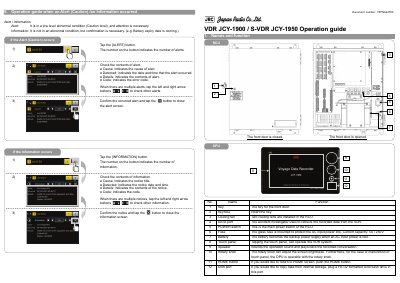
This manual explains how to operate the VDR Intelligent Door Lock, including starting and stopping the system, managing alerts and information, and preserving recorded data during maritime accidents. It details component functions and screen navigation for proper use.
The system includes a touch panel, speaker, rotary knob, and USB port for data management. Alerts and information are displayed on screen with navigation arrows. Data preservation is critical during accidents, and the system requires power to function.
Covers: Operation Guide When Alert/Information Occurred · Starting the VDR / S-VDR · Stopping the VDR / S-VDR · HOME Screen · Operation Guide When a Maritime Accident Occurred
Latest VDR manuals
VDR Intelligent Door Lock Operation Manual
User Manual 2 pages · 1 MB · ENUser manual for VDR's intelligent door lock system, covering operation, alerts, and data management.
Which document do I need?
User Manual
Day-to-day operation, settings and troubleshooting. Start here if the product is already set up.
Questions answered in VDR manuals
How do I start the VDR system?
Unlock and open the front door, turn on the POWER switch, wait 2 minutes, ensure MCB’s LED lights up green, then close and lock the door.
What should I do if an alert occurs?
Tap the [ALERT] button to view the alert details, use left/right arrows to navigate multiple alerts, then tap the button to close the screen.