
Key facts
- Manuals
- 2
- Languages
- EN
- Last added
- 2023-10-18
Featured Alorium Technology manuals
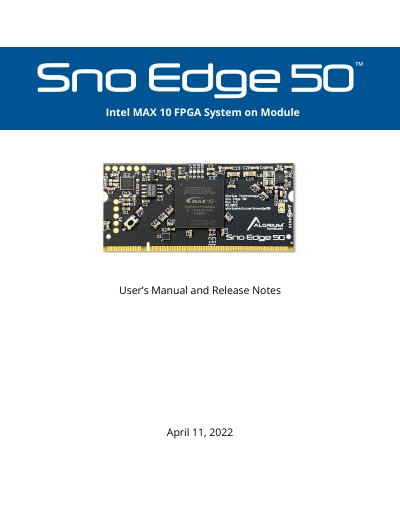
Alorium Technology Sno Edge 50 FPGA System on Module User Manual
The Alorium Technology Sno Edge 50 is an Intel MAX 10 FPGA System on Module (SOM) that integrates an 8-bit AVR compatible microcontroller. It features a 200-pin SODIMM form factor and includes enhanced digital I/O, additional ADCs, and Xcelerator Blocks for custom hardware functionality. The device is designed for easy programmability using the Arduino IDE or other supported tools.
The manual details programming methods for both the embedded microcontroller and the FPGA, including USB and FTDI interfaces for the microcontroller, and various methods for updating FPGA images such as the Arduino IDE, command-line tools, and JTAG. It also provides general technical specifications, pin mapping, register descriptions, and instructions for installing the necessary Arduino IDE libraries.
Covers: Introduction · Microcontroller Programming · FPGA Programming · Updating the FPGA Image · Restoring Factory FPGA Image · Creating Custom FPGA Images
Alorium Technology XLR8R22M08V5U0DI FPGA Development Board User Manual
The XLR8 is an FPGA-based development board designed to resemble a standard Arduino, using the Arduino IDE for programming. It features an ATMega328 microcontroller clone and FPGA-based accelerator blocks for enhanced performance. The board supports reconfiguration with different FPGA images and includes level-shifting circuitry for 5V compatibility. Key features include Xcelerator Blocks for custom hardware acceleration, improved ADC performance, and a bootloader compatible with Arduino Uno.
The manual details differences from Arduino Uno/Sparkfun RedBoard, such as USB connectivity, I/O compatibility, ADC behavior, and bootloader options. It also explains how to use Xcelerator Blocks, manage reconfiguration, and handle power and pin configurations for optimal performance.
Covers: Overview · Usage · Differences between XLR8 and Arduino Uno/Sparkfun RedBoard · Xcelerator Blocks (XBs) · Register Summary · Schematics and Layout
Latest Alorium Technology manuals
Alorium Technology Sno Edge 50 FPGA System on Module User Manual
User Manual 48 pages · 4.5 MB · ENThis manual provides programming and usage instructions for the Alorium Technology Sno Edge 50 FPGA System on Module, covering microcontroller and FPGA…
Alorium Technology XLR8R22M08V5U0DI FPGA Development Board User Manual
User Manual 26 pages · 1.2 MB · ENUser manual for Alorium Technology's XLR8 FPGA development board, covering usage, I/O, ADC, reconfigurability, and Xcelerator Blocks.
Which document do I need?
User Manual
Day-to-day operation, settings and troubleshooting. Start here if the product is already set up.
Questions answered in Alorium Technology manuals
What is the officially supported programming environment for Sno Edge?
Arduino is the only officially supported programming environment for Sno Edge.
From: Alorium Technology Sno Edge 50 FPGA System on Module User Manual
How can the Factory FPGA Image be restored?
Bridge the two sides of the split CFG0 pad while applying power to the board.
From: Alorium Technology Sno Edge 50 FPGA System on Module User Manual
Can I use XLR8 with Arduino IDE?
Yes, XLR8 can be programmed with Arduino sketches using the Arduino IDE by selecting 'Arduino Uno' as the target board.
From: Alorium Technology XLR8R22M08V5U0DI FPGA Development Board User Manual
What are Xcelerator Blocks (XBs)?
XBs are custom hardware in the FPGA fabric that provide performance advantages through software libraries for easy integration.
From: Alorium Technology XLR8R22M08V5U0DI FPGA Development Board User Manual