
Key facts
- Manuals
- 1
- Languages
- EN
- Last added
- 2023-10-18
Featured Elevator Systems Inc manuals
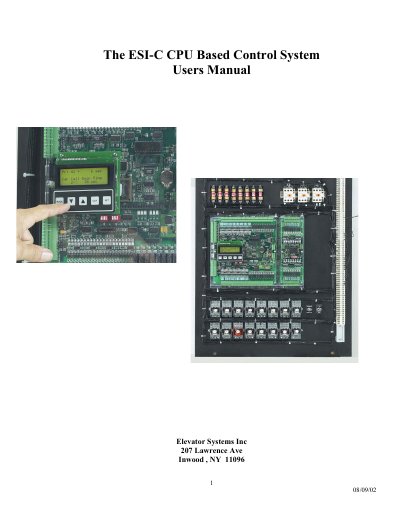
Elevator Systems Inc ESI-C CPU Control System User Manual
This manual describes the ESI-C CPU Based Control System, a rugged elevator controller featuring an AMD x86 compatible CPU core, multi-layer PCB, and integrated 4*20 LCD & keypad user interface. The system supports up to 512k Flash of program space and 512k SRAM, along with 45 optically isolated inputs and 21 dry contact outputs.
Covers: ESI-C CPU Card Features · LCD Keypad Description · Display Modes · Event Log · Parameter Editing · Parameter List
Latest Elevator Systems Inc manuals
Elevator Systems Inc ESI-C CPU Control System User Manual
User Manual 10 pages · 367 KB · ENUser manual for the ESI-C CPU Based Control System, detailing features, LCD keypad operation, and parameter configuration for elevator control.
Which document do I need?
User Manual
Day-to-day operation, settings and troubleshooting. Start here if the product is already set up.
Questions answered in Elevator Systems Inc manuals
What are the available display modes on the LCD?
The available modes include ESI Mon, Job Info, View I/O, Internal Flags, Event Log, Place Car Call, Place Hall Call, Parameters, Setup, and Mem View.
From: Elevator Systems Inc ESI-C CPU Control System User Manual
How do I enable parameter editing?
To enable editing, you must set Parameter #20 to 3, then press SET to enter edit mode.
From: Elevator Systems Inc ESI-C CPU Control System User Manual