
Key facts
- Manuals
- 2
- Languages
- EN
- Last added
- 2023-10-15
Featured Genius Vision manuals

Genius Vision Generic Camera Driver User Manual
The Generic Camera Driver is a software component designed to enable the Genius Vision NVR software to support the functionality of almost any IP camera. It allows users to utilize camera features without needing specific SDK documentation by interpreting CGI commands and parameters. This manual details how to configure the driver to access various camera capabilities.
Covers: Overview · Supported Functionality · Introduction to CGI Arguments · Introduction to Dual Streaming · PTZ Configuration · Stop Commands
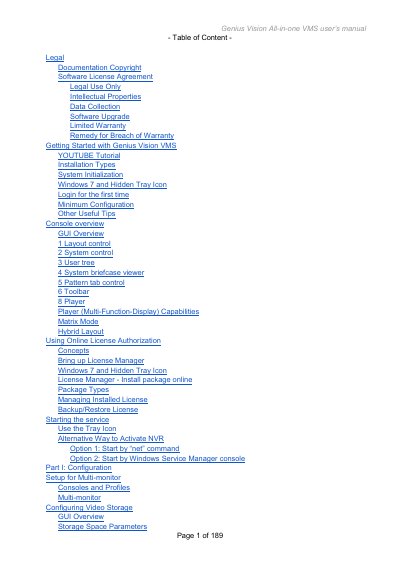
Genius Vision All-in-one VMS User's Manual
The Genius Vision All-in-one VMS is a full-featured video management system designed for multi-monitor consoles. This user's manual guides users through the initial setup, including system initialization, license activation, and basic console operations such as layout control and toolbar functions.
The document details advanced configuration topics, including adding cameras via RTSP or HTTP protocols, setting up schedules, managing permissions, and configuring intelligent video detection features like motion detection and object tracking. It also covers remote viewing options, CMS integration, and troubleshooting system issues.
Covers: Getting Started with Genius Vision VMS · Installation Types · System Initialization · Console Overview · GUI Overview · Adding Cameras
Latest Genius Vision manuals
Genius Vision Generic Camera Driver User Manual
User Manual 11 pages · 492 KB · ENThis manual explains how to use the Generic Camera Driver to integrate IP cameras with Genius Vision NVR software, covering video streaming, PTZ control…
Genius Vision All-in-one VMS User's Manual
User Manual 189 pages · 8.2 MB · ENThis manual provides operating instructions for the Genius Vision All-in-one VMS, covering installation, configuration, camera management, and system usage.
Which document do I need?
User Manual
Day-to-day operation, settings and troubleshooting. Start here if the product is already set up.
Questions answered in Genius Vision manuals
What network protocols does the Generic Camera Driver support for streaming?
The driver supports HTTP or RTSP as the network protocol for streaming.
Which port number is used for most cameras when configuring RTSP streaming?
Port 554 is used for RTSP streaming on most cameras.
What are the installation types available for Genius Vision VMS?
Users can choose between a Full installation (installing both NVR recording engine and client console) or an NVR/CMS Remote client only option.
How can I manage the Genius Vision VMS service?
The installer installs a Windows service that can be managed via an organizer icon, which appears as a triangle in the Windows task-bar.