
Key facts
- Manuals
- 3
- Languages
- EN
- Last added
- 2023-10-26
Featured Gamewell-FCI manuals
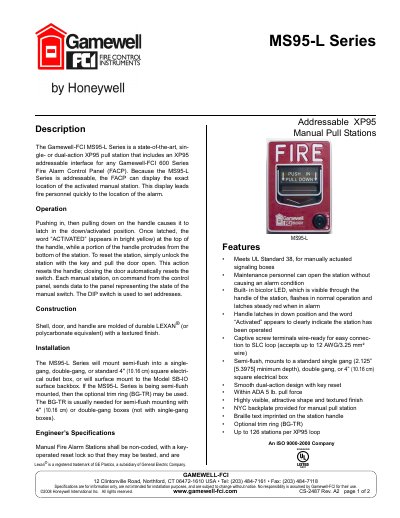
Gamewell-FCI MS95-L Series Addressable XP95 Manual Pull Stations
The Gamewell-FCI MS95-L Series is a state-of-the-art, single- or dual-action XP95 pull station designed for use with any Gamewell-FCI 600 Series Fire Alarm Control Panel (FACP). As an addressable device, it allows the FACP to display the exact location of the activated manual station, aiding fire personnel in quickly locating the alarm source. The station features a durable Lexan shell and handle with a textured finish and includes a built-in bicolor LED that flashes during normal operation and latches steady red during an alarm.
Covers: Description · Operation · Construction · Installation · Features · Engineer's Specifications
Gamewell-FCI 7100 Driver Manual
This manual provides instructions for configuring and using the Gamewell-FCI 7100 driver with FieldServer systems. It details hardware connections, data array setup, and client-side configuration parameters for communication with FCI 7100 panels. The driver supports passive message reception and storage, with options for event filtering and node-specific data handling.
The document includes sections on applicable hardware, communication board pinouts, data array formats, and map descriptor configurations. It also covers troubleshooting and driver-specific features such as panel synchronization and event processing for different firmware versions.
Covers: Description · Driver Scope of Supply · Hardware Connections · Data Array Parameters · Client Side Configuration · Useful Features
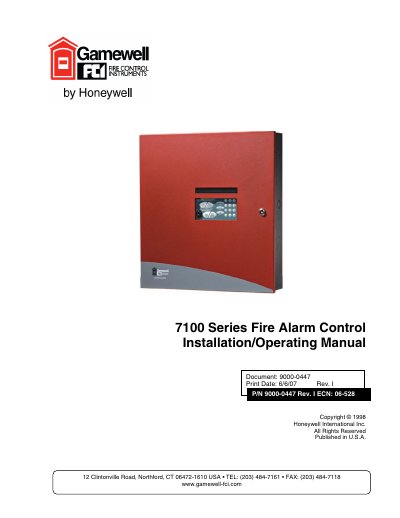
Gamewell-FCI 7100 Series Fire Alarm Control Installation/Operating Manual
This manual provides detailed instructions for the installation and operation of the Gamewell-FCI 7100 Series Fire Alarm Control. It is designed for use by factory-trained installers and operators and must be kept with the fire alarm control panel at all times.
The document outlines critical system limitations, emphasizing that while a fire alarm system may lower insurance rates, it is not a substitute for fire insurance. It details environmental considerations such as recommended operating temperatures (60 ° to 80 ° F) and humidity limits, along with installation guidelines regarding wiring, grounding, and compliance with NFPA codes.
Covers: Fire Alarm System Limitations · Environmental Considerations · Installation Considerations · Wiring Considerations · Survivability Requirements · Maintenance Procedures
Latest Gamewell-FCI manuals
Gamewell-FCI MS95-L Series Addressable XP95 Manual Pull Stations
Product Leaflet 2 pages · 437 KB · ENProduct leaflet for the Gamewell-FCI MS95-L Series addressable XP95 manual pull station, detailing features, installation, and specifications.
Gamewell-FCI 7100 Driver Manual
User Manual 20 pages · 676 KB · ENUser manual for the Gamewell-FCI 7100 driver, covering hardware connections, data array parameters, and client-side configuration for FieldServer integration.
Gamewell-FCI 7100 Series Fire Alarm Control Installation/Operating Manual
User Manual 50 pages · 791 KB · ENInstallation and operating manual for the Gamewell-FCI 7100 Series fire alarm control panel, covering system limitations, environmental requirements, and…
Which document do I need?
User Manual
Day-to-day operation, settings and troubleshooting. Start here if the product is already set up.
Questions answered in Gamewell-FCI manuals
How is the MS95-L Series reset?
To reset the station, unlock it with the key and pull the door open; closing the door automatically resets the switch.
From: Gamewell-FCI MS95-L Series Addressable XP95 Manual Pull Stations
What does the LED indicate?
The built-in bicolor LED flashes in normal operation and latches steady red when in alarm.
From: Gamewell-FCI MS95-L Series Addressable XP95 Manual Pull Stations
What is the driver’s role in communicating with the FCI 7100 panel?
The driver is a passive client that receives and stores messages from the 7100 panel but does not poll for data or send commands. It processes messages for firmware versions 2.20 and later, requiring a 20-character System ID for 3-line messages.
How do I configure multiple panels in a networked setup?
Set the local panel’s Node_ID to zero and create separate Node descriptors for each panel, assigning each a unique Node_ID. Use the 'Reset_by_any_Node' or 'Reset_by_this_Node_Only' option to control reset behavior.
What is the recommended operating temperature range for this equipment?
The recommended operating temperature range is 60 ° to 80 ° F (15 ° to 27 ° C).
From: Gamewell-FCI 7100 Series Fire Alarm Control Installation/Operating Manual
What is the absolute maximum operating temperature range for this equipment?
The absolute maximum operating temperature range is 32 ° to 120 ° F (0° to 49 ° C).
From: Gamewell-FCI 7100 Series Fire Alarm Control Installation/Operating Manual