
Key facts
- Manuals
- 1
- Languages
- ZH
- Last added
- 2023-10-28
Featured Wavlink manuals
Wavlink AC1200 Distributed Home WiFi Router System User Manual
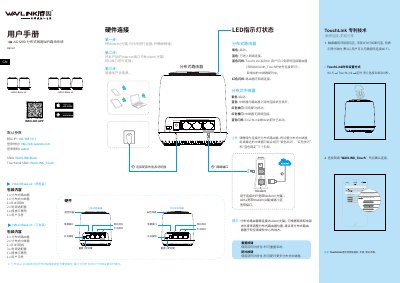
The Wavlink AC1200 is a distributed home WiFi router system that uses TouchLink technology for easy pairing and provides wireless coverage through a router and optional repeaters.
The manual covers hardware connection, LED indicator meanings, default settings, package contents, and step-by-step setup via web browser or Wavlink app. It also includes troubleshooting FAQs and instructions for adding repeaters. This manual is written in Chinese.
Covers: Hardware Connection · TouchLink · LED Indicator Status · Default Parameters · Package Contents · Router Setup
Latest Wavlink manuals
Wavlink AC1200 Distributed Home WiFi Router System User Manual
User Manual 2 pages · 2.2 MB · ZHThis user manual provides installation, setup, usage, and troubleshooting guidance for the Wavlink AC1200 distributed home WiFi router system.
Which document do I need?
User Manual
Day-to-day operation, settings and troubleshooting. Start here if the product is already set up.
Questions answered in Wavlink manuals
What should I do if the login page does not appear after entering http://wifi.wavlink.com?
Ensure your computer is set to obtain an IP address automatically, try entering http://192.168.10.1, use a different browser, or restart the router.
From: Wavlink AC1200 Distributed Home WiFi Router System User Manual
How do I restore the router to factory settings?
Press and hold the RESET button on the back of the router for 6 seconds while the router is running.
From: Wavlink AC1200 Distributed Home WiFi Router System User Manual