
Key facts
- Manuals
- 1
- Languages
- ZH
- Last added
- 2023-11-08
Featured ToSee manuals
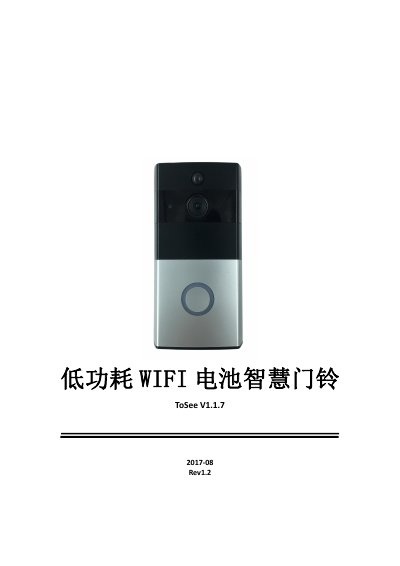
ToSee V1.1.7 Low-Power WiFi Battery Video Doorbell User Manual
The ToSee V1.1.7 is a low-power WiFi battery video doorbell controlled through the ToSee app for Android and iOS. The manual explains installation, bridge-mode WiFi setup, QR-code device addition, and the live monitoring page with mute, SD card viewing, full screen, snapshot, two-way talk, recording, settings and sharing controls.
It also covers doorbell call and PIR motion push notifications, local files and message management, motion detection and photosensitive sensitivity, ring and talk volume, video scene modes, SD card formatting, device name and time zone changes, and firmware upgrade indicator light behavior. This manual is written in Chinese.
Covers: ToSee Video Doorbell Introduction · Installation · Adding a Device · Bridge Mode WiFi Configuration · AP Configuration Indicator Light Status · Device WiFi Connection Setup
Latest ToSee manuals
ToSee V1.1.7 Low-Power WiFi Battery Video Doorbell User Manual
User Manual 15 pages · 1.5 MB · ZHToSee V1.1.7 low-power WiFi battery video doorbell user manual: installation, WiFi setup, live view, doorbell and PIR push alerts, and device settings.
Which document do I need?
User Manual
Day-to-day operation, settings and troubleshooting. Start here if the product is already set up.
Questions answered in ToSee manuals
How do I put the ToSee doorbell into AP configuration mode?
Press the reset button for more than 5 seconds. After the device restarts it enters AP configuration, indicated by the red light blinking once every second.
From: ToSee V1.1.7 Low-Power WiFi Battery Video Doorbell User Manual
What is the default motion detection sensitivity?
The range is 0 to 3 and the default value is 1. Setting it to 0 means the device will not wake on motion detection.
From: ToSee V1.1.7 Low-Power WiFi Battery Video Doorbell User Manual