
Key facts
- Manuals
- 1
- Languages
- EN
- Last added
- 2026-10-27
Featured Tandberg Data manuals
Tandberg Data RDX QuikStor 8785-RDX External/Internal USB and SATA User Manual
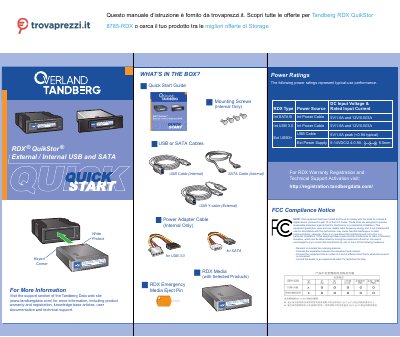
The document provides instructions for installing the RDX Utility software on Windows or Mac systems. It details how to connect the device using either an internal SATA interface or an external USB 3.0 interface, including specific notes on power requirements and cable connections.
A section is dedicated to updating the firmware via the Tandberg Data website. The manual also explains LED status indicators for media readiness, activity, faults, and power saving modes.
Covers: FCC Compliance Notice · What's in the Box · Power Ratings · RDX Warranty Registration · Install RDX Utility · Update RDX Firmware
Latest Tandberg Data manuals
Tandberg Data RDX QuikStor 8785-RDX External/Internal USB and SATA User Manual
User Manual 2 pages · 1.1 MB · ENThis user manual covers the installation, operation, and troubleshooting of the Tandberg Data RDX QuikStor 8785-RDX external and internal storage device.
Which document do I need?
User Manual
Day-to-day operation, settings and troubleshooting. Start here if the product is already set up.
Questions answered in Tandberg Data manuals
What does a blinking green LED indicate?
A blinking green LED indicates that the drive is reading, writing, or seeking data.
From: Tandberg Data RDX QuikStor 8785-RDX External/Internal USB and SATA User Manual
What cables are included in the box with this drive?
The package includes a USB cable for internal use, an external power supply with a Y-cable, mounting screws for internal installation, and an RDX emergency media eject pin.
From: Tandberg Data RDX QuikStor 8785-RDX External/Internal USB and SATA User Manual