
About SWR
- Official website
- swr-balustrade.co.uk
- Support
- Manufacturer support page
- Support phone
- 01442 211535
- Support email
- [email protected]
- Founded
- 1989
- Headquarters
- Hemel Hempstead, United Kingdom
- Product lines
- Horizontal Wire Balustrades, Vertical Wire Balustrades, Modular Glass Balustrades, Glass Channel Systems, Stainless Handrails, Juliet Balconies
Sources: SWR SWR-3 SWR/Power Meter Installation Manual · SWR Modular Balustrade Installation Guide · official site · official site · official site. Checked 2026-10-13. Contact details change - confirm them on the manufacturer's site.
Key facts
- Manuals
- 3
- Languages
- EN · ZH
- Last added
- 2026-10-13
Featured SWR manuals

SWR SWR-3 SWR/Power Meter Installation Manual
The SWR-3 is a compact device designed for amateur radio stations to check transceivers. It uses a bridge method to compare voltage supplied to and reflected from antenna systems, allowing for accurate and quick antenna matching. Additionally, it measures RF power using a carrier detector and can function as a field strength meter when connected to a small pickup antenna.
Covers: OPERATION · SWR Measurement · RF POWER · IN CIRCUIT MONITORING · FIELD STRENGTH INDICATIONS · SPECIFICATIONS

SWR Modular Balustrade Installation Guide
The document serves as an installation guide for the SWR modular balustrade system. It details procedures for installing various components including glass channels, handrails, and glass adapters.
Specific attention is given to fixing methods, distinguishing between timber threads that can be drilled directly into a substrate and metric threads which require pre-drilling, cleaning, and filling with anchor resin before installation.
Covers: Glass Channel Installation · Handrail Installation · Glass Adapter Installation · Upright Posts Installation · Thread Fixing Methods
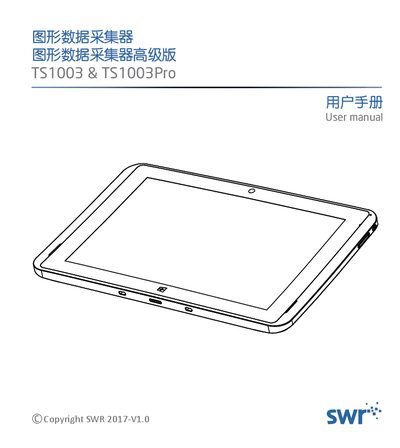
SWR TS1003 & TS1003Pro Graphical Data Collector Advanced User Manual
This manual introduces the SWR TS1003 and TS1003Pro graphical data collectors, describing their hardware configuration, built‑in sensors, and accessories such as data cables, heart‑rate ear clips and syringe kits. It also provides step‑by‑step instructions for connecting sensors, using the SWR iLab software, and operating the device safely.
Key sections cover product specifications, network interfaces (Wi‑Fi, Bluetooth, USB, HDMI), power details, and warranty information. The guide is aimed at teachers and students in primary, middle and high school science labs. This manual is written in Chinese.
Covers: Product Introduction and Features · Accessories and Interface Overview · Detailed Technical Specifications · Sensor Connection Guide · Software Data Acquisition Process · Safety Precautions
Latest SWR manuals
SWR SWR-3 SWR/Power Meter Installation Manual
User Manual 2 pages · 213 KB · ENThis manual provides installation and operation instructions for the SWR-3 SWR/Power Meter, a device for checking transceivers and measuring RF power.
SWR Modular Balustrade Installation Guide
Installation Guide 2 pages · 216 KB · ENThis guide provides installation instructions for SWR modular balustrades, covering glass channels, handrails, glass adapters, and upright posts.
SWR TS1003 & TS1003Pro Graphical Data Collector Advanced User Manual
User Manual 16 pages · 2.3 MB · ZHThe SWR TS1003/TS1003Pro advanced graphical data collector user manual explains features, specifications, connections, software acquisition and safety…
Which document do I need?
User Manual
Day-to-day operation, settings and troubleshooting. Start here if the product is already set up.
Installation Guide
Mounting, wiring and first power-up. Read it before the hardware goes in.
Questions answered in SWR manuals
What is the ideal SWR ratio?
A 1:1 ratio is the ideal match.
What is considered a satisfactory SWR?
An SWR of 2.0 is considered satisfactory.
How should metric threads be installed?
A hole needs to be pre-drilled, emptied and filled with anchor resin before fitting the thread in place.
When can the glass adapter be installed?
The system should only be installed after the anchor resin has set.
What operating system does the TS1003 run?
The device uses a Windows 10 trial version as its operating system.
From: SWR TS1003 & TS1003Pro Graphical Data Collector Advanced User Manual
How long does the built‑in battery last on a full charge?
The battery provides 6 to 8 hours of continuous operation.
From: SWR TS1003 & TS1003Pro Graphical Data Collector Advanced User Manual