
Key facts
- Manuals
- 1
- Languages
- EN
- Last added
- 2023-10-17
Featured SensoScientific manuals
SensoScientific OTA Node Installation Guide
This guide walks you through installing the OTA Node, connecting it to Wi-Fi, and configuring cloud settings. It includes steps for drilling holes, mounting components, and setting up user accounts and alarms. The document also explains how to connect the node to a facility’s Wi-Fi network and configure notification preferences.
Covers: Unpack Box · Connect Node to Wi-Fi · Install Device to Storage Unit · Establish Cloud Settings · Create New User's Personal Profile · Assign Nodes to Users
Latest SensoScientific manuals
SensoScientific OTA Node Installation Guide
Installation Guide 8 pages · 420 KB · ENStep-by-step guide to install and configure SensoScientific OTA Node for Wi-Fi and cloud connectivity.
Which document do I need?
Installation Guide
Mounting, wiring and first power-up. Read it before the hardware goes in.
Questions answered in SensoScientific manuals
What items are included in the OTA Node package?
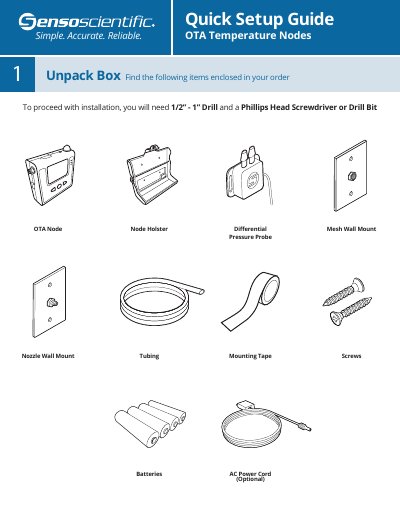
The package includes a Quick Setup Guide, OTA Temperature Nodes, OTA Node, Node Holster, Differential Pressure Probe, and Mesh Wall Mount.
What tools are needed to install the OTA Node?
You will need a 1/2” - 1” drill and a Phillips head screwdriver or drill bit nozzle.