
Key facts
- Manuals
- 1
- Languages
- EN
- Last added
- 2023-11-16
Featured SCIENTIFIC INSTRUMENTS manuals
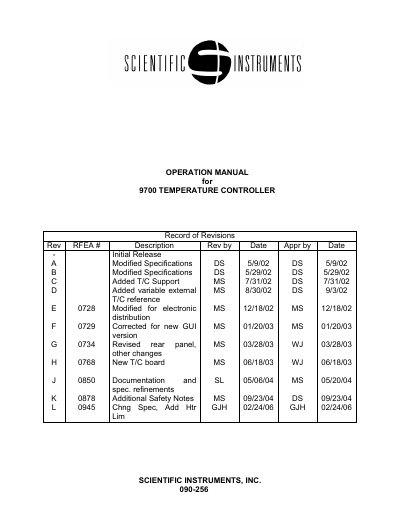
Scientific Instruments 9700 Temperature Controller Operation Manual
This is the operation manual (document 090-256) for the Scientific Instruments Model 9700 Temperature Controller. The manual opens with Quick Start instructions for rear-panel connections, display and menu navigation, set point changes, PID values, control key operation, AutoTune, and communication parameter settings. It also includes a record of revisions and a table of contents covering safety information, description, sensor selection, installation, operation, the graphical user interface, temperature control, remote computer interface, calibration, and hardware.
The Quick Start section states that the Model 9700 is designed to combine high performance with simplicity of use. Listed features include two 24-bit A/D converters with 0.001 K resolution, a fail-safe 0–50 VDC 1 Amp current-controlled heater output (50 Watts), a LabVIEW-based graphical user interface for Windows, advanced AutoTune capability, RS232 and IEEE-488 standard communication, and universal AC input from 90 to 250 VAC.
Covers: Important Safety Information · Description · Sensor Selection · Installation · Operation · Graphical User Interface (GUI)
Latest SCIENTIFIC INSTRUMENTS manuals
Scientific Instruments 9700 Temperature Controller Operation Manual
User Manual 71 pages · 491 KB · ENOperation manual for the Scientific Instruments 9700 Temperature Controller, covering setup, control modes, menu settings, calibration, and remote interface.
Which document do I need?
User Manual
Day-to-day operation, settings and troubleshooting. Start here if the product is already set up.
Questions answered in SCIENTIFIC INSTRUMENTS manuals
How do I change the main set point on the Model 9700?
Press “menu, 1, 1” and enter the new number, or press escape to return to the main display.
From: Scientific Instruments 9700 Temperature Controller Operation Manual
How do I set the RS232 baud rate or GPIB address?
Press “menu, 6, 1” for the RS232 baud rate, or “menu, 6, 2” to set the GPIB address.
From: Scientific Instruments 9700 Temperature Controller Operation Manual