
Key facts
- Manuals
- 5
- Languages
- EN · ES
- Last added
- 2023-10-21
Featured RigExpert manuals
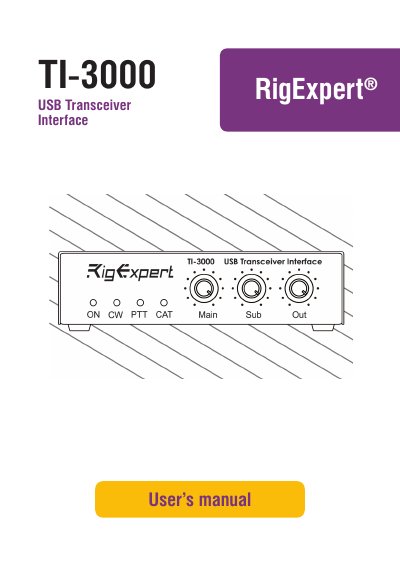
RigExpert TI-3000 USB Transceiver Interface User's Manual
The RigExpert TI-3000 is a USB Transceiver Interface designed to operate phone, CW, and digital modes using a personal computer with a USB port. It provides a transceiver audio interface, a CAT (Computer Aided Transceiver) system for frequency and mode control, PTT and CW output functions, and a squelch input. The device connects to the computer via a standard USB A-B cable and to various transceiver models via a 25-pin connector.
Covers: Introduction · Operating the TI-3000 · Front and rear panels · Transceiver and computer connection · General features · Specifications
RigExpert AA-600/1000/1400 Antenna Analyzer User Manual
This document is the user manual for the RigExpert AA-600, AA-1000, and AA-1400 antenna analyzers. These devices are designed to test, check, tune, or repair antennas and antenna feed lines. Key features include impedance and SWR graphs, Smith/polar charts, and unique measurement modes like MultiSWR and SWR2Air. The manual also details the integrated TDR (Time Domain Reflectometer) mode for locating faults in cables. This manual is written in Spanish.
Covers: Descripción · Especificaciones · Precauciones · Operación · Modos de medición · Modos de gráfico
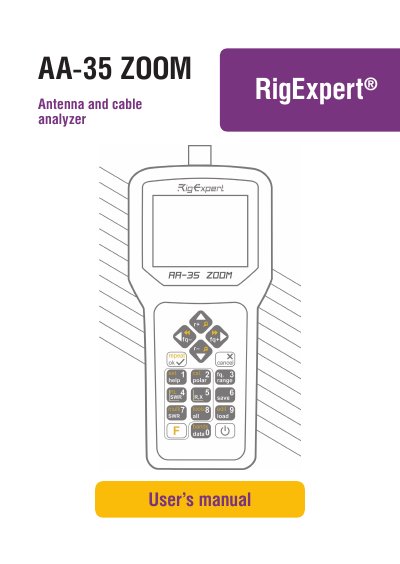
RigExpert AA-35 ZOOM Antenna and Cable Analyzer User's Manual
The RigExpert AA-35 ZOOM is an antenna and cable analyzer designed to measure SWR, return loss, and other parameters of cable and antenna systems in the range of 60 kHz to 35 MHz. The device features a built-in ZOOM capability for effective graphical measurements and allows for rapid antenna check-out, tuning, and comparison of characteristics before and after events like rain or hurricanes. It can also measure coaxial stubs and the capacitance or inductance of reactive loads.
Covers: Introduction · Operating the AA-35 ZOOM · First time use · Main menu · Multifunctional keys · Connecting to your antenna
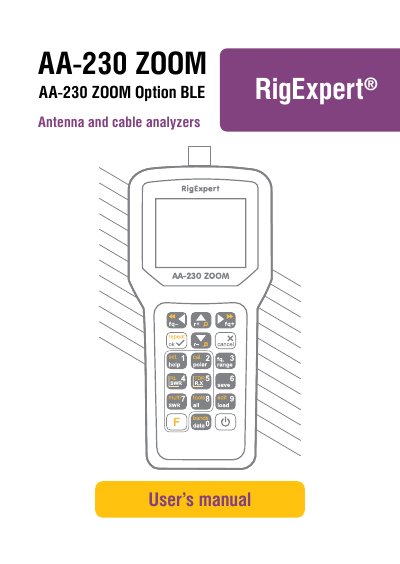
RigExpert AA-230 ZOOM Antenna and Cable Analyzer User’s Manual
The RigExpert AA-230 ZOOM is an antenna and cable analyzer designed for measuring SWR, return loss, cable loss, and other parameters in the 100 kHz to 230 MHz range. It features a built-in ZOOM function for graphical measurements and an integrated Time Domain Reflectometer (TDR) mode for fault location. The Option BLE version supports Bluetooth Low Energy for wireless connection to laptops, tablets, or smartphones. The manual covers setup, operation, chart modes (SWR, R,X, Smith), calibration, memory functions, and dummy loads.
The device can be powered by four AAA batteries or via USB. It includes a main menu with hotkeys for quick access to tasks like SWR chart, return loss chart, and TDR mode. Calibration is performed using open, short, and load standards. The analyzer supports frequency and range entry, data display, and multiple chart modes for antenna and cable system analysis.
Covers: Introduction · Operating the AA-230 ZOOM · First time use · Main menu · Multifunctional keys · Connecting to your antenna
Latest RigExpert manuals
RigExpert TI-3000 USB Transceiver Interface User's Manual
User Manual 14 pages · 376 KB · ENUser's manual for the RigExpert TI-3000 USB Transceiver Interface, covering setup, connection, and audio level adjustment.
RigExpert AA-600/1000/1400 Antenna Analyzer User Manual
User Manual 40 pages · 1.3 MB · ESUser manual for RigExpert AA-600, AA-1000, and AA-1400 antenna analyzers covering operation, specifications, and applications.
RigExpert AA-35 ZOOM Antenna and Cable Analyzer User's Manual
User Manual 28 pages · 1.5 MB · ENThis manual provides operating instructions for the RigExpert AA-35 ZOOM Antenna and Cable Analyzer, covering measurements from 60 kHz to 35 MHz.
RigExpert AA-230 ZOOM Antenna and Cable Analyzer User’s Manual
User Manual 40 pages · 4 MB · ENUser manual for RigExpert AA-230 ZOOM antenna and cable analyzer covering SWR, return loss, cable loss measurements, TDR, and Bluetooth connectivity.
RigExpert Standard USB Transceiver Interface User Manual
User Manual 20 pages · 617 KB · ENThis manual covers the setup, driver installation, and software configuration for the RigExpert Standard USB transceiver interface device.
Which document do I need?
User Manual
Day-to-day operation, settings and troubleshooting. Start here if the product is already set up.
Questions answered in RigExpert manuals
Does the RigExpert TI-3000 require external power?
No, the device is powered from the USB port and does not need an external power supply.
From: RigExpert TI-3000 USB Transceiver Interface User's Manual
What operating systems are supported?
The device supports Windows XP/Vista/7/8/10 (32 or 64-bit), Mac OS, and Linux.
From: RigExpert TI-3000 USB Transceiver Interface User's Manual
What are the frequency ranges for the AA-600, AA-1000, and AA-1400?
The AA-600 covers 0.1 to 600 MHz, the AA-1000 covers 0.1 to 1000 MHz, and the AA-1400 covers 0.1 to 1400 MHz.
From: RigExpert AA-600/1000/1400 Antenna Analyzer User Manual
How do I power the analyzer?
The analyzer can be powered by three 1.5V alkaline AA batteries or three 1.2V Ni-MH AA batteries, or via USB connection.
From: RigExpert AA-600/1000/1400 Antenna Analyzer User Manual
What batteries are required for the analyzer?
The analyzer requires two AA batteries, specifically alkaline or Ni-MH types.
From: RigExpert AA-35 ZOOM Antenna and Cable Analyzer User's Manual
Can the analyzer be powered by a computer?
Yes, it can be powered from a spare USB port of a computer using a conventional USB cable.
From: RigExpert AA-35 ZOOM Antenna and Cable Analyzer User's Manual