
Key facts
- Manuals
- 1
- Languages
- EN
- Last added
- 2023-10-17
Featured Reyee manuals
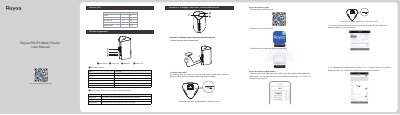
Reyee RG-R6 Mesh Router User Manual
This manual provides instructions for setting up the Reyee RG-R6 Mesh Router, including connecting power and network cables, and configuring the device via the Reyee Router App or a web browser. It details the default SSID format and management address for initial access.
Covers: Packing List · Product Appearance · Status Indicators · Scenario 1: Configure one router · Scenario 2: Configure more router · Access the Internet by App
Latest Reyee manuals
Reyee RG-R6 Mesh Router User Manual
User Manual 2 pages · 3.3 MB · ENUser manual for the Reyee RG-R6 Mesh Router, covering setup, configuration, and mesh network pairing instructions.
Which document do I need?
User Manual
Day-to-day operation, settings and troubleshooting. Start here if the product is already set up.
Questions answered in Reyee manuals
What is the default SSID for the Reyee RG-R6?
The default SSID is '@Reyee-sXXXX', where XXXX is the last 4 digits of the MAC address on the router label.
How do I restore the factory settings?
Power on the router and press the Reset button for more than 3 seconds until the system status indicator blinks.