
Key facts
- Manuals
- 1
- Languages
- ZH
- Last added
- 2023-11-03
Featured Rethink Robotics manuals
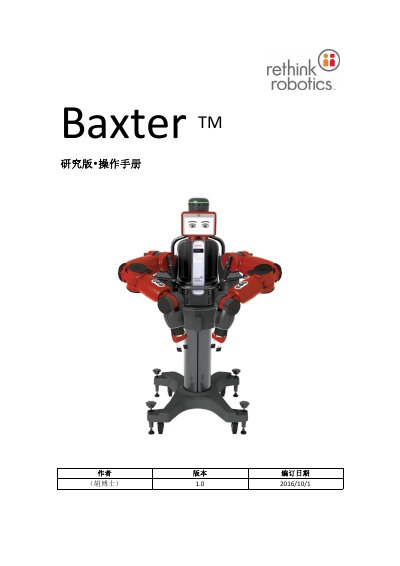
Rethink Robotics Baxter Research Edition Collaborative Robot Operation Manual
This Chinese-language operation manual, version 1.0 dated 2016/10/1, covers setup and first use of the Rethink Robotics Baxter collaborative research robot. The text describes Baxter as a collaborative robot from Rethink Robotics (Boston, USA) that ships with a software development kit (SDK) based on ROS (Robot Operating System). The manual is split into three parts: Baxter setup, workstation setup, and running an example.
The setup part lists the required hardware, explains how to choose a suitable workspace with reference to workspace diagrams, mount the robot body on its pedestal, install the electric or pneumatic gripper, and connect the emergency stop switch and power. The workstation part walks through installing Ubuntu, ROS and the SDK, and the final part runs the Hello Baxter example: enabling the robot, running a sample program, and interactive Python programming using the baxter_interface module, with commands such as ssh ruser@<ROS Master> and rosrun baxter_tools enable_robot.py -e. This manual is written in Chinese.
Covers: Required hardware · Choosing a suitable workspace · Baxter installation · Installing the electric gripper · Installing the pneumatic gripper · Connecting the emergency stop switch and power
Latest Rethink Robotics manuals
Rethink Robotics Baxter Research Edition Collaborative Robot Operation Manual
User Manual 26 pages · 1.4 MB · ZHOperation manual for the Rethink Robotics Baxter collaborative robot: hardware setup, Ubuntu/ROS/SDK workstation setup, and the Hello Baxter example.
Which document do I need?
User Manual
Day-to-day operation, settings and troubleshooting. Start here if the product is already set up.
Questions answered in Rethink Robotics manuals
What software framework does the Baxter robot use?
Baxter is supplied with a software development kit (SDK) based on ROS (Robot Operating System). The manual installs Ubuntu, ROS and the SDK on a workstation before running the robot.
From: Rethink Robotics Baxter Research Edition Collaborative Robot Operation Manual
How do I enable the Baxter robot?
From the workstation, source baxter.sh and run the enable_robot.py tool with the -e option. The robot then enters a zero-gravity mode when the film button on the wrist is held.
From: Rethink Robotics Baxter Research Edition Collaborative Robot Operation Manual