
Key facts
- Manuals
- 7
- Languages
- FR · EN · ZH
- Last added
- 2026-11-04
Featured Phoenix manuals

Phoenix 1 Panneaux + Régulateur PWM + Batterie 12V + Convertisseur Installation Guide
This guide provides step-by-step instructions for assembling a solar kit with a panel, PWM regulator, 12V battery, and Phoenix VE.Direct converter. It covers cable crimping, electrical connections, polarity handling, grounding, and optional components like BMV battery monitor. Safety warnings about polarity and electrical sparks are included.
The guide includes diagrams for wiring configurations, detailed connection procedures for the regulator and panels, and grounding requirements. It also references additional resources like video tutorials and customer support for further assistance. This manual is written in French.
Covers: Order of Assembly · Cable Crimping · Electrical Connections · Grounding · Optional Components · Polarity Handling
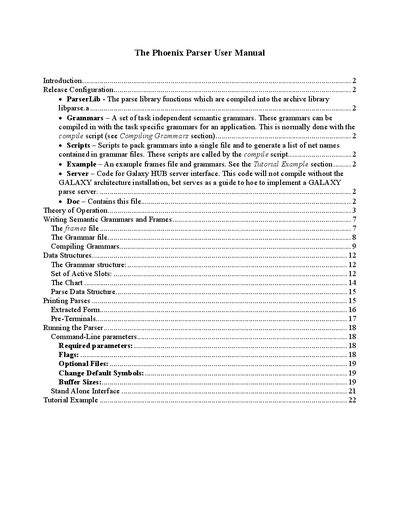
Phoenix Parser User Manual
The Phoenix parser is designed to develop simple, robust Natural Language interfaces to applications, especially spoken language applications. It maps input word strings onto a sequence of semantic frames by matching grammars against words using Recursive Transition Networks (RTNs). The developer must define frames and provide grammar rules that specify the word strings for each slot in a frame.
The manual covers the theory of operation, writing semantic grammars and frames, compiling grammars, data structures, running the parser with command-line parameters, and includes a tutorial example. It explains how to create frames using a specific syntax and defines the notation used in grammar files.
Covers: Introduction · Release Configuration · Theory of Operation · Writing Semantic Grammars and Frames · The frames file · The Grammar file

Phoenix L1L2 L N Smart Wall Switch User Manual
The Phoenix L1L2 L N is a smart wall switch that utilizes the ZigBee wireless communication protocol. It allows users to replace traditional switches without altering existing wiring, enabling intelligent lighting control, scene management, and device binding. The device supports both single-fireline and zero-fireline installation methods. This manual is written in Chinese.
Covers: Restoring Factory Settings · Adding ZigBee Devices · Installation Instructions · Indicator Light Status · App Connection · Linkage Functions
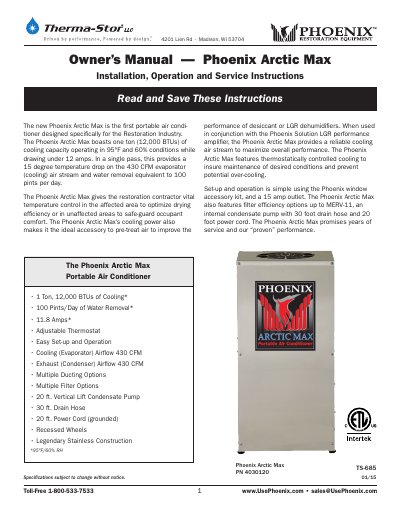
Phoenix Arctic Max 12000BTU Portable Air Conditioner Owner's Manual
The Phoenix Arctic Max PN 4030120 is a portable air conditioner designed for the restoration industry, offering 12,000 BTUs of cooling and 100 pints/day water removal. It operates at 11.8 amps under 95°F/60% RH conditions and features adjustable thermostat, condensate pump, and multiple ducting options. The unit is built with stainless steel and recessed wheels for durability and mobility. It includes detailed instructions for setup, operation, maintenance, and troubleshooting, with safety warnings for proper use and storage.
Covers: Introduction · Specifications · Operation · Maintenance · Service · Options and Accessories
Latest Phoenix manuals
Phoenix 1 Panneaux + Régulateur PWM + Batterie 12V + Convertisseur Installation Guide
Installation Guide 19 pages · 1.1 MB · FRInstallation guide for a solar kit including a panel, PWM regulator, 12V battery, and Phoenix VE.Direct converter.
Phoenix Parser User Manual
User Manual 22 pages · 200 KB · ENThis manual provides instructions for developing Natural Language interfaces using the Phoenix parser, covering theory, grammar writing, and compilation.
Phoenix L1L2 L N Smart Wall Switch User Manual
User Manual 2 pages · 1.9 MB · ZHThis manual covers the installation, setup, and usage of the Phoenix L1L2 L N smart wall switch using ZigBee protocol.
Phoenix Arctic Max 12000BTU Portable Air Conditioner Owner's Manual
User Manual 9 pages · 1.8 MB · ENOwner's manual for Phoenix Arctic Max PN 4030120 portable air conditioner with 12,000 BTU cooling, 100 pints/day water removal, and thermostatic control.
Phoenix MICRON OCT2 Optical Coherence Tomography System User Manual
User Manual 2 pages · 2.2 MB · ENUser manual for the Phoenix MICRON OCT2 OCT system, enabling guided 3D vascular imaging in mice and rats with sub-2-micron resolution.
Phoenix WEXS & WEXS-10 BLE User Manual
User Manual 9 pages · 725 KB · ENUser guide for Phoenix WEXS and WEXS-10 BLE sensors, covering setup, connection, data saving, and troubleshooting for Android and iOS devices.
Phoenix 200HT High Capacity Dehumidifier Owner's Manual
User Manual 10 pages · 710 KB · ENThis manual covers installation, operation, maintenance, and service for the Phoenix 200HT high capacity dehumidifier, including specifications and…
Which document do I need?
Installation Guide
Mounting, wiring and first power-up. Read it before the hardware goes in.
User Manual
Day-to-day operation, settings and troubleshooting. Start here if the product is already set up.
Questions answered in Phoenix manuals
What is the correct order to connect the components?
Connect the battery first, then the regulator, converter, and panels, following the polarity guidelines.
From: Phoenix 1 Panneaux + Régulateur PWM + Batterie 12V + Convertisseur Installation Guide
How do I crimp the cables?
Use the provided crimp sleeves on one end of each cable, strip the first centimeter, insert the wire into the sleeve, and crimp with a plier.
From: Phoenix 1 Panneaux + Régulateur PWM + Batterie 12V + Convertisseur Installation Guide
What is the purpose of the Phoenix parser?
It is designed for the development of simple, robust Natural Language interfaces to applications, especially spoken language applications.
What input files are required by the parser?
The parser requires two input files: a frames file and a grammar file.
How do I restore the switch to factory settings?
Press any button three times consecutively, then hold it down until the indicator light flashes before releasing.
What type of communication protocol does this switch use?
The device uses the ZigBee wireless communication protocol.