
Key facts
- Manuals
- 2
- Languages
- EN
- Last added
- 2023-10-16
Featured peplink manuals
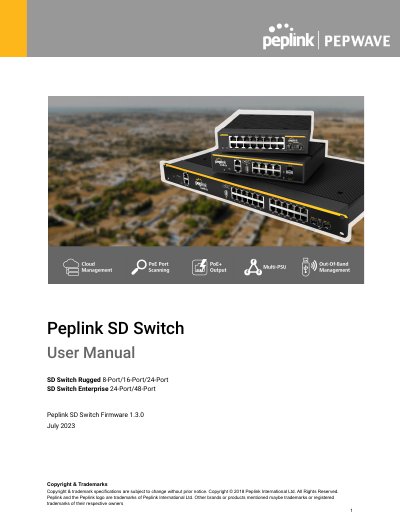
Peplink SD Switch User Manual
The document provides user instructions for the Peplink SD Switch range, which includes fully managed, PoE+ Gigabit switches with Cloud Intelligence. The guide details how to connect Ethernet and SFP/SFP+ interfaces, manage devices via the InControl cloud platform or standalone web interface, and configure various network settings.
Covers: Introduction and Scope · Models & Specifications · Quick Start for Key Functions · InControl Configuration · Standalone Configuration · Configuring VLANs
Peplink Device Connector User Manual
This manual provides instructions for the Peplink Device Connector, a networking device available in various ruggedized models including the Device Connector, Rugged, and IP-rated versions. It guides users through accessing the web administration interface via Ethernet or Wi-Fi and explains the two primary connection modes: Wi-Fi Mode for communicating with Ethernet-only devices using TruePower Wi-Fi, and Wired Mode for acting as a Layer 2 bridge.
Covers: Getting Started · Basic Setup · Advanced Settings · Troubleshooting and Maintenance · Appendix
Latest peplink manuals
Peplink SD Switch User Manual
User Manual 93 pages · 6.6 MB · ENThis manual covers the setup and configuration of Peplink SD Switch Rugged and Enterprise series managed PoE+ Gigabit switches.
Peplink Device Connector User Manual
User Manual 41 pages · 1.7 MB · ENUser manual for the Peplink Device Connector, covering setup, configuration, advanced settings, and troubleshooting for wired and Wi-Fi modes.
Which document do I need?
User Manual
Day-to-day operation, settings and troubleshooting. Start here if the product is already set up.
Questions answered in peplink manuals
How do I reset the admin password?
Hold the Reset button for 5-9 seconds until the status light blinks red and then green.
How do I perform a factory reset?
Hold the Reset button for more than 10 seconds until the status light blinks red and then green.
What devices can I connect to using Wi-Fi mode?
You can use Wi-Fi mode to communicate with vending machines, thermostats, surveillance cameras, and other Ethernet-only devices.
What is the minimum distance required between the device and your body?
The equipment should be installed and operated with a minimum distance of 20cm between the radiator and your body.