
Key facts
- Manuals
- 1
- Languages
- EN
- Last added
- 2023-10-17
Featured Micro Air Corporation manuals
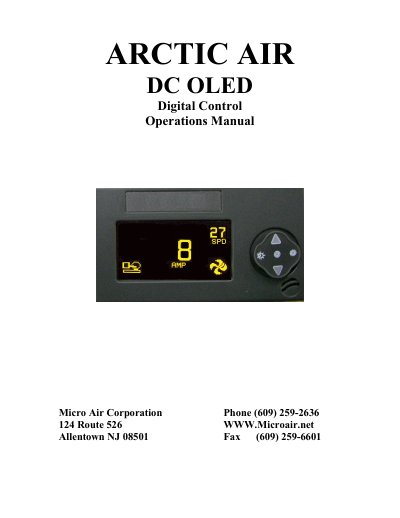
Micro Air Corporation ARCTIC AIR DC OLED Digital Control Operations Manual
This manual provides operating instructions for the ARCTIC AIR DC OLED Digital Control unit. It details the initial power-up sequence, the functions of the On/Off, Select, Fan Control, and Joystick buttons, and explains how to navigate between modes such as Screen Saver, Off Mode, and Cooling Mode.
Covers: Applying power · Joystick operation · Operating modes · Cool mode · Programmable Parameters · Fault indication
Latest Micro Air Corporation manuals
Micro Air Corporation ARCTIC AIR DC OLED Digital Control Operations Manual
User Manual 7 pages · 640 KB · ENOperations manual for the Micro Air Corporation ARCTIC AIR DC OLED Digital Control, covering power application, joystick operation, modes, and programmable…
Which document do I need?
User Manual
Day-to-day operation, settings and troubleshooting. Start here if the product is already set up.
Questions answered in Micro Air Corporation manuals
What happens when power is first applied?
The display will show 'ARCTICAIR' and the software revision, then return to the last mode the unit was in.
From: Micro Air Corporation ARCTIC AIR DC OLED Digital Control Operations Manual
How is the screen saver activated?
The screen saver is activated after two minutes without any button press in any mode.
From: Micro Air Corporation ARCTIC AIR DC OLED Digital Control Operations Manual