
Key facts
- Manuals
- 1
- Languages
- EN
- Last added
- 2023-10-27
Featured Mauldin manuals
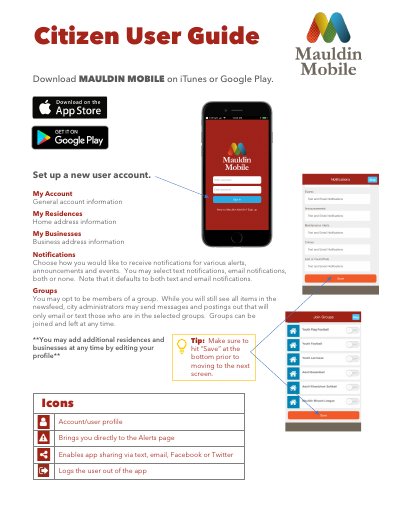
Mauldin MOBILE User Guide
This guide explains how to use the Mauldin MOBILE app for city services. Users can manage accounts, set notifications, join groups, view newsfeed, report non-emergencies, and catalog property. The app also features event listings and facility reservations. Emergency situations should be reported by calling 911.
Covers: Account Setup · Notifications · Groups · Newsfeed · Make A Payment · Report
Latest Mauldin manuals
Mauldin MOBILE User Guide
User Manual 2 pages · 373 KB · ENUser guide for the Mauldin MOBILE app, covering account setup, notifications, groups, newsfeed, reporting, property lockbox, events, and city services.
Which document do I need?
User Manual
Day-to-day operation, settings and troubleshooting. Start here if the product is already set up.
Questions answered in Mauldin manuals
How can I receive notifications for alerts and events?
You may select text notifications, email notifications, both, or none, though the default setting is both text and email.
What types of alerts are included in the newsfeed?
The newsfeed includes alerts related to traffic, scams, weather, crime, suspicious activity, BOLOs, missing persons, and wanted persons.