
Key facts
- Manuals
- 3
- Languages
- EN
- Last added
- 2023-10-17
Featured MachMotion manuals
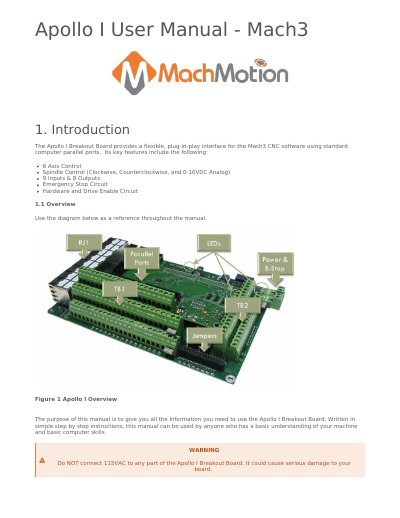
MachMotion Apollo | Breakout Board User Manual
This manual guides users through installing and configuring the Apollo | Breakout Board for use with Mach3 CNC software. It covers mounting, power supply, jumper settings, parallel port configuration, and setting up enable circuits including emergency stop functionality. The board supports 6-axis control, spindle control, and 9 inputs with 8 outputs. Safety warnings are included regarding power supply and electrical connections.
Covers: Introduction · Tools Required · Specifications · Installation · Mounting · Supply Power
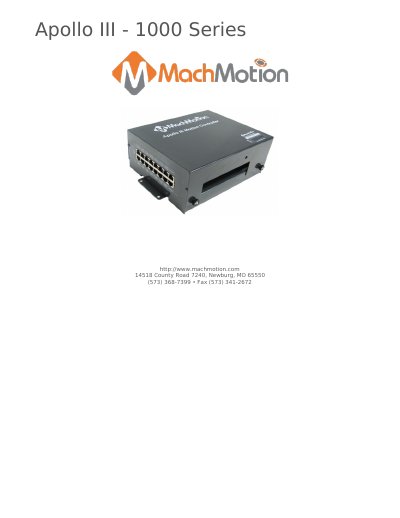
MachMotion Apollo III 1000 Series User Manual
The Apollo III is an Ethernet-based motion controller designed to control up to 6 axes with full encoder feedback. It features 16 inputs, 8 outputs, and supports both differential and single-ended step and direction signals. The device includes status LEDs for power, control, error, and CPU states to monitor system health.
Covers: Introduction · Specifications · Hardware Startup · Software Startup · Axis Setup · Axis Calibration
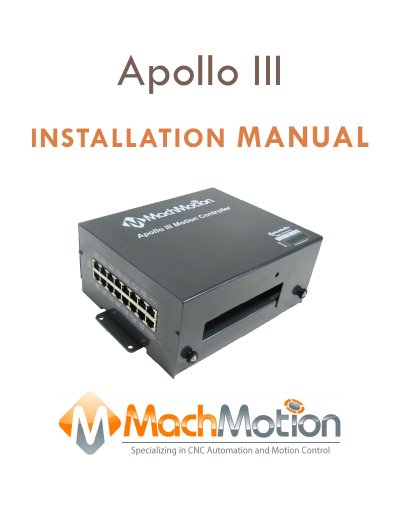
MachMotion Apollo III Installation Guide
This guide explains how to install and configure the Apollo III motion controller with Mach3. It covers hardware startup, axis setup, spindle configuration, limits and homing, input and output setup, and advanced options. The document includes wiring diagrams, configuration steps, and troubleshooting notes. It also contains warranty information and links to additional resources.
The Apollo III is designed for CNC automation and motion control applications. It requires 24VDC power and connects via RJ45 ports for drive and encoder cables. The guide assumes the user has a Mach3 control system and provides step-by-step instructions for enabling axes, calibrating, and configuring inputs and outputs.
Covers: Introduction · Hardware Startup · Axis Setup · Spindle Setup · Limits and Homing Setup · Input Setup
Latest MachMotion manuals
MachMotion Apollo | Breakout Board User Manual
User Manual 34 pages · 2.5 MB · ENUser manual for the MachMotion Apollo | Breakout Board, covering installation, configuration, and operation with Mach3 CNC software.
MachMotion Apollo III 1000 Series User Manual
User Manual 32 pages · 2.2 MB · ENThis manual covers the installation, configuration, and operation of the MachMotion Apollo III 1000 Series Ethernet motion controller.
MachMotion Apollo III Installation Guide
Installation Guide 32 pages · 1.7 MB · ENInstallation guide for the MachMotion Apollo III motion controller connected to Mach3 control software.
Which document do I need?
User Manual
Day-to-day operation, settings and troubleshooting. Start here if the product is already set up.
Installation Guide
Mounting, wiring and first power-up. Read it before the hardware goes in.
Questions answered in MachMotion manuals
What power supply is required for the Apollo | Breakout Board?
A 24VDC power supply is required. The power connection is located at the top right of the board.
How do I configure the parallel ports for the Apollo | Breakout Board?
You must have two parallel ports on your computer. Find the port addresses using Device Manager, then enter them into Mach3 under Port #1 and Port #2.
What voltage is required to power the Apollo III?
You must supply 24VDC to the power connection located at the top right of the board.
How many axes can the controller control?
The controller can control up to 6 axes with full encoder feedback.
What voltage must be supplied to power the Apollo III?
You must supply 24VDC to the power connection.
What must be done to the [Reset] button in Mach3 for it to operate?
Clear the [Reset] button so it is not flashing.