
Key facts
- Manuals
- 2
- Languages
- EN
- Last added
- 2023-11-02
Featured LUNATONE manuals
Lunatone DALI Cockpit V5 Software Startup Guide
The Lunatone DALI Cockpit V5 Startup Guide describes the DALI Cockpit configuration tool for commissioning DALI components and monitoring DALI-line traffic. The software package consists of DALI Cockpit, DALI Monitor, and DALI BusServer, and it requires a DALI USB, DALI RS232 SCI2, or DALI 4Net interface for connection between a PC and a DALI line.
The guide covers software installation, registration, system preparation, and testing DALI communication before commissioning. It also describes DALI addressing, scene and group configuration, offline mode with .dnc network files, and firmware updates for Lunatone devices.
Covers: Software Installation · Registration · System Preparation · Test Communication · DALI System Commissioning · DALI-Line Monitoring
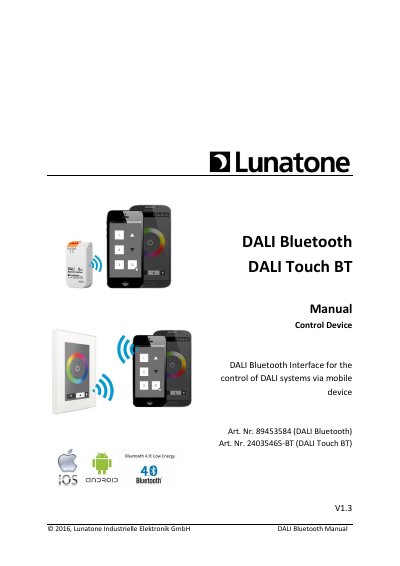
Lunatone DALI Bluetooth Interface Manual
The DALI Bluetooth modules from Lunatone serve as interface devices between iOS or Android mobile devices and DALI lighting systems. The document details the functionality of the DALI-Touch App and the DALI Cockpit software tool used for layout configuration. It explains how to manage layouts, assign images, and configure general settings such as PIN access and proximity events.
Covers: Function · DALI-Touch App · DALI Cockpit - Layout Configuration · General Settings · Layout Settings · Installation
Latest LUNATONE manuals
Lunatone DALI Cockpit V5 Software Startup Guide
Quick Start Guide 27 pages · 2.9 MB · ENLunatone DALI Cockpit V5 Startup Guide explains software installation, registration, DALI system commissioning, and offline mode.
Lunatone DALI Bluetooth Interface Manual
User Manual 24 pages · 1.3 MB · ENThis manual covers the setup, configuration, and application of Lunatone DALI Bluetooth modules for controlling lighting systems via mobile devices.
Which document do I need?
Quick Start Guide
The shortest path to a working setup, usually only a few pages.
User Manual
Day-to-day operation, settings and troubleshooting. Start here if the product is already set up.
Questions answered in LUNATONE manuals
Which interfaces are supported by DALI Cockpit?
The supported interfaces are the DALI USB, the DALI RS232 SCI2 and the DALI 4Net.
What languages are available in DALI Cockpit?
German and English are available.
What is the function of the DALI Bluetooth modules?
They are interface devices between iOS or Android mobile devices and DALI lighting systems.
How many layouts can be supported?
Up to 32 layouts are supported, with a maximum of 12 buttons per layout.