
Key facts
- Manuals
- 1
- Languages
- EN
- Last added
- 2023-10-27
Featured iO HVAC Controls manuals
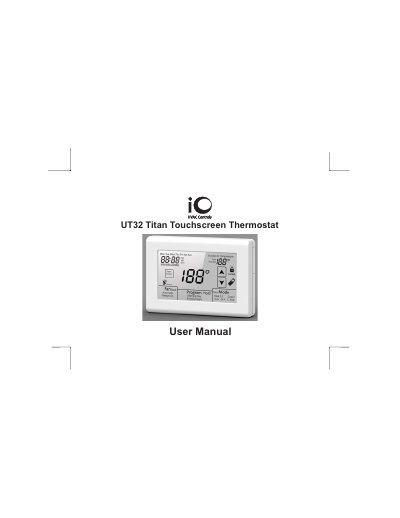
iO HVAC Controls UT32 Titan Touchscreen Thermostat User Manual
The iO HVAC Controls UT32 Titan is a touchscreen thermostat for residential heating and cooling equipment. It is designed to be installed and configured by a professional heating and air conditioning contractor and provides dependable operation with an easy-to-use touchscreen display.
This user manual covers introduction, touchscreen display use, setting the day time and calendar, basic functions, mode configurations, programming schedules, overrides, and other options such as compressor time delay, low battery indication, outdoor temperature display, battery replacement, and timed ventilation.
Covers: Introduction · Using the Touchscreen Display · Setting the Day, Time and Calendar · Basic Functions · Mode Configurations · Programming
Latest iO HVAC Controls manuals
iO HVAC Controls UT32 Titan Touchscreen Thermostat User Manual
User Manual 26 pages · 180 KB · ENThe iO HVAC Controls UT32 Titan Touchscreen Thermostat User Manual covers touchscreen use, settings, modes, programming, and features for the UT32 thermostat.
Which document do I need?
User Manual
Day-to-day operation, settings and troubleshooting. Start here if the product is already set up.
Questions answered in iO HVAC Controls manuals
What batteries does the thermostat use?
The thermostat uses two AA batteries to keep the time-of-day clock running in case of a power failure.
From: iO HVAC Controls UT32 Titan Touchscreen Thermostat User Manual
How long is the compressor time delay?
The thermostat has a built-in 4-minute time delay to prevent the air conditioner or heat pump from short cycling.
From: iO HVAC Controls UT32 Titan Touchscreen Thermostat User Manual