
Key facts
- Manuals
- 1
- Languages
- EN
- Last added
- 2023-11-06
Featured Intelitek manuals
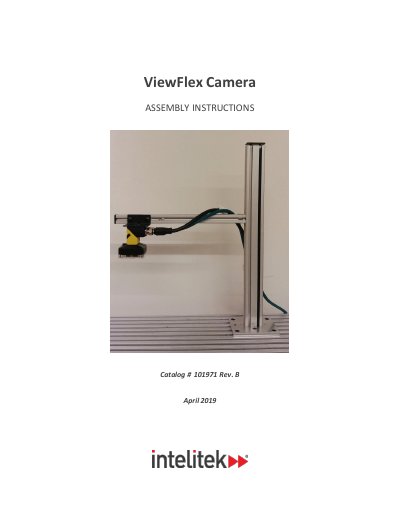
Intelitek ViewFlex Camera Assembly Instructions
This document from Intelitek gives the assembly and wiring instructions for the ViewFlex camera setup, Catalog # 1019 71 Rev. B, dated April 2019. It covers assembling the camera stand that holds the Cognex Vision Sensor (QC camera, Cognex #00-1430-0000) in position for ViewFlex operations, then wiring the power through the camera's breakout cable. The manual states that it only details assembly and wiring, and that use of the Cognex 2000 itself is covered in the Cognex 2000 user manual.
The assembly section explains mounting the stand base to a slotted table with four M5 Allen screws and M5 slot nuts, to a Formica table with four pan head Phillips screws, or to a CIM track with an angular connector (catalog number 110633). It then covers attaching the camera to the bracket with two M3 Phillips screws, connecting the green Ethernet cable and black breakout cable, and securing the cables with clamps and ties. The wiring section connects the black ground and red +24V DC wires of the breakout cable to a 24V DC adapter and confirms power at the vision sensor. An appendix lists the breakout cable wire colors and signal names.
Covers: Assembling the Camera Stand · Securing the base to a table · Attaching the camera to the bracket · Connecting the Ethernet and breakout cables · Securing cables to the table · Wiring the Power Connections
Latest Intelitek manuals
Intelitek ViewFlex Camera Assembly Instructions
Installation Guide 7 pages · 578 KB · ENIntelitek ViewFlex Camera Assembly Instructions, Catalog # 1019 71 Rev. B: building the camera stand for the Cognex 2000 vision sensor and wiring the power.
Which document do I need?
Installation Guide
Mounting, wiring and first power-up. Read it before the hardware goes in.
Questions answered in Intelitek manuals
How is the camera attached to the camera stand?
The camera is attached to the bracket with two M3 Phillips screws, which must be fastened so the camera is secure.
What does the breakout cable need before it can be connected to the power supply unit?
It requires connection to a 24V DC adapter first.